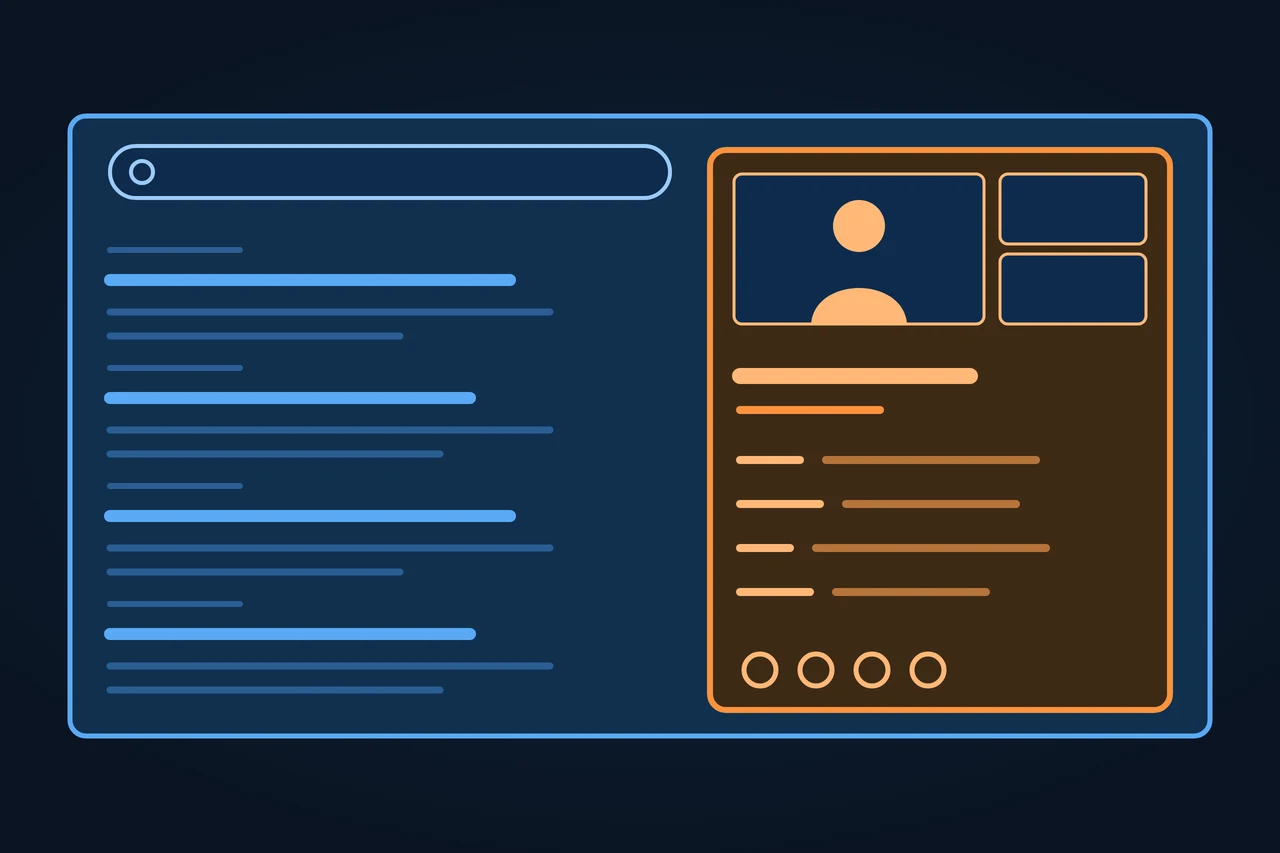
A Google Knowledge Panel is the information box Google shows in search results for an entity it has in its Knowledge Graph: a person, a place, an organization or a thing. Google generates it automatically from sources across the web and from data partners. The subject can claim the panel and suggest changes, but cannot create one. It is not to be confused with KnowledgePanel, the online research panel run by Ipsos.
The Google Knowledge Panel shows facts about a person, place or organization. Where the data comes from, how to claim it and how to fix errors.
Origin of the term
The panel arrived with the Knowledge Graph. On 16 May 2012 Amit Singhal announced it on Google's blog under the title "Introducing the Knowledge Graph: things, not strings". At launch the graph held more than 500 million objects and more than 3.5 billion facts and relationships, drawn among others from Freebase, Wikipedia and the CIA World Factbook. The new view started for US English users. On 4 December 2012 Google added Spanish, French, German, Portuguese, Japanese, Russian and Italian.
Google calls the box "knowledge panel" in English. The German help center is titled "Infobox-Hilfe", while its text says "Knowledge Panel". In Spanish Google uses two names: "panel de información" in the help for Spain and "panel de conocimiento" in the version for Latin America.
How it works
Google's help describes knowledge panels as boxes "automatically generated" from various sources across the web. For some topics, such as films or music, Google works with data partners and combines their data with open web sources. For sports scores, stock prices and weather it licenses data. A third source is the subjects themselves: people and organizations that have claimed their panel and suggested edits.
The facts sit in the Knowledge Graph, which Google describes as a database of billions of facts about people, places and things. In May 2020 Danny Sullivan wrote that it held over 500 billion facts about five billion entities, and that Wikipedia is "a commonly-cited source, but it's not the only one".
Whether a panel appears is decided by Google's systems. According to the help, panels are created when there is enough information on the open web, and they show up when the information is highly relevant to a query. Google's policy is not to create or delete knowledge panels manually. Panels also update on their own as information on the web changes. On desktop the panel sits to the right of the results; on mobile, Google often shows one or more panels between the results instead.
Many sources, one decision by Google
Sources
Webvarious sources across the web
Data partnersfor some topics, such as films or music
Licensedsports scores, stock prices, weather
Subjectsclaimed their panel and suggested edits
→
Knowledge Graph
where the facts sit
→
Google's systems decide
created when there is enough information on the open web
shown when the information is highly relevant to a query
not created or deleted manually
updates on its own as information on the web changes
Why can't you simply order a panel from Google?
Types and variants
Google lists the typical content of a panel as a title and short summary, a longer description, one or more images, key facts such as a birth date or a location, and links to social profiles and official websites. Some topics get extra information.
Entity
Extra information Google names
Source
Person
Birth and death dates, education; claimable by the person
Google blog 2012 and 2020, Google help
Organization
Logo, which structured data can influence; merchants also return policy, address and contact
Google Search Central, Organization structured data
Music, TV and sport
Songs of an artist, upcoming episodes, team rosters
Google blog 2020
Health
Content vetted with medical providers
Google blog 2020
Source: Google, "A reintroduction to our Knowledge Graph and knowledge panels" (20.05.2020); Google Search Central, Organization structured data; Knowledge Panel Help (accessed 10.11.2026).
Local businesses that serve customers at a location or in a service area are a separate case. Their box is a Google Business Profile, which looks similar but is created and managed through its own tool.
Examples
Google explained the panel in 2012 with its own examples. A search for [taj mahal] can mean the monument, the Grammy-winning musician or a casino in Atlantic City; the Knowledge Graph lets the user pick the one they mean. For Marie Curie the panel shows when she was born and died, and also her education and scientific discoveries.
The facts shown depend on what people ask about an entity. According to Google, users want to know which books Charles Dickens wrote, but for Frank Lloyd Wright they are more interested in the buildings he designed. Google wrote that the information shown for Tom Cruise answered 37 percent of the next queries people asked about him.
Advantages and disadvantages
For the subject
Advantage
Disadvantage
Visibility
Key facts and official profiles appear right in the results
Google decides whether and when the panel appears
Control
After verification, suggested edits get priority and some fixes, such as social profile links, can be made directly
Descriptions come from other sources and cannot be edited in the panel
Images
A verified subject can choose a featured image
Google does not add an image on request if the panel has none
Source: Google, Knowledge Panel Help; Google Search Central, Featured snippets (accessed 10.11.2026).
A missing panel does not prove that an entity is missing from the Knowledge Graph. The graph also shows up in other formats, such as answers to factual questions. One way to check is the Knowledge Graph Search API, which returns entries with identifiers like "kg:/m/0dl567". Google itself says the API is not suitable for production-critical use and is moving it to Cloud Enterprise Knowledge Graph.
Criticism and limits
There is no application form. Google writes that when, where and how a query shows a panel is decided automatically and "isn't something we can or would influence". A panel you saw in the past may no longer display.
Not every panel can be claimed. Google's help names the problems it handles through support: a panel that mixes two people or organizations with the same or similar name, wrong websites or profiles, and a panel already claimed by someone the subject cannot identify. In that last case Google starts an account recovery and waits three business days for the current owners to answer; if they do not, the panel becomes claimable again.
Google's own rules also limit what it removes. It may remove information that is demonstrably false or outdated, for example when legal documents or expert consensus show it. It may decline to act on facts that are reasonably disputed. Titles are changed only with substantial evidence that the automated choice is not the most representative one.
How to apply it, step by step
Claiming, as described in Google's help "Get verified on Google" (English version, accessed 10.11.2026):
Sign in to a Google Account, or create one.
Search Google for yourself or the entity you represent and find the panel.
At the bottom of the panel, click "Claim this knowledge panel". It may also sit in the "About" section; on mobile it is in the menu.
Review the information.
Sign in to one of the official sites or profiles Google lists: YouTube, Search Console, Twitter or Facebook. If Google cannot find a linked site, it asks for more information.
Suggesting an edit as a verified user, as described in "Submit feedback on content about you" (accessed 10.11.2026):
Sign in to the Google Account you used to verify your identity and check that Web and App Activity is turned on.
Search for your name or the entity, then click "Suggest edits" at the top of the panel.
Click Edit next to the information you want to report, one item at a time.
Describe what is wrong, what should be removed and which public URLs support the change, then click Send. Google says it reviews feedback from verified users within a few days and emails the result.
Without verification, anyone can use the Feedback link at the bottom of the panel, or the three-dot menu on mobile.
Where you click in the panel
On desktop: to the right of the results
Results
Suggest editstop of the panel · verified users
Titleand short summary
Descriptioncomes from other sources, cannot be edited in the panel
Imagesone or more
Key factssuch as a birth date or a location
Profilessocial profiles and official websites
Claim this knowledge panelbottom · may also sit in the “About” section · mobile: menu
Feedbackbottom · anyone, without verification · mobile: three-dot menu
Which click is left to you without a verified identity?
Best practices
Check first whether the entity exists in the Knowledge Graph, for example with the Knowledge Graph Search API.
Keep name, logo, description and profiles consistent on your website and on the official profiles Google links to.
Add Organization structured data to your home page; Google says it can influence which logo appears in your knowledge panel.
After verifying, add colleagues as managers so access does not depend on one person.
To change a description, correct it at the source it comes from; Google says that changing the source usually changes the panel.
Common mistakes
Treating the Business Profile and the knowledge panel as the same thing.
Paying someone who promises a panel; Google says it does not create panels manually.
Asking Google to add an image when the panel has none.
Bundling several corrections into one feedback form.
Signing in with a different Google Account from the one used to verify.
How this entry was made
This entry was written in November 2026 with AI assistance. It started from an analysis of the top search results in the US, Germany and Spain, and adds what several of them leave out: the difference from the Ipsos research panel, how to suggest changes without claiming, how a panel differs from a Business Profile, and both of Google's Spanish names. Every step comes from Google's own help, quoted with the date it was read. It was reviewed before publication and contains no client data.
Manuel Riveiro RodriguezCEO & Digital Strategist
A technical audit covers this and everything else in one pass.
Google's help names no price. Panels are generated automatically, and Google's policy is not to create them manually. Claiming one requires a Google Account and a sign-in to an official profile such as YouTube or Search Console.
Why did my knowledge panel disappear?
Google's systems decide when a panel appears, based on how relevant the information is to the query. Google writes that a panel you saw in the past may no longer display and that this happens automatically.
What is the difference between a knowledge panel and a Business Profile?
A Business Profile is for businesses that serve customers at a location or within a service area, and the business creates and manages it. A knowledge panel is generated by Google for people, places, organizations and things.
How do I correct wrong information in my Google Knowledge Panel?
Verify your identity, then click "Suggest edits" at the top of the panel and submit each correction separately with public URLs as evidence. Without verification, use the Feedback link at the bottom of the panel.
How do I claim my Google Knowledge Panel?
Search for yourself or your organization, click "Claim this knowledge panel" at the bottom of the panel and sign in to one of the official profiles Google lists. Not every panel can be claimed yet.