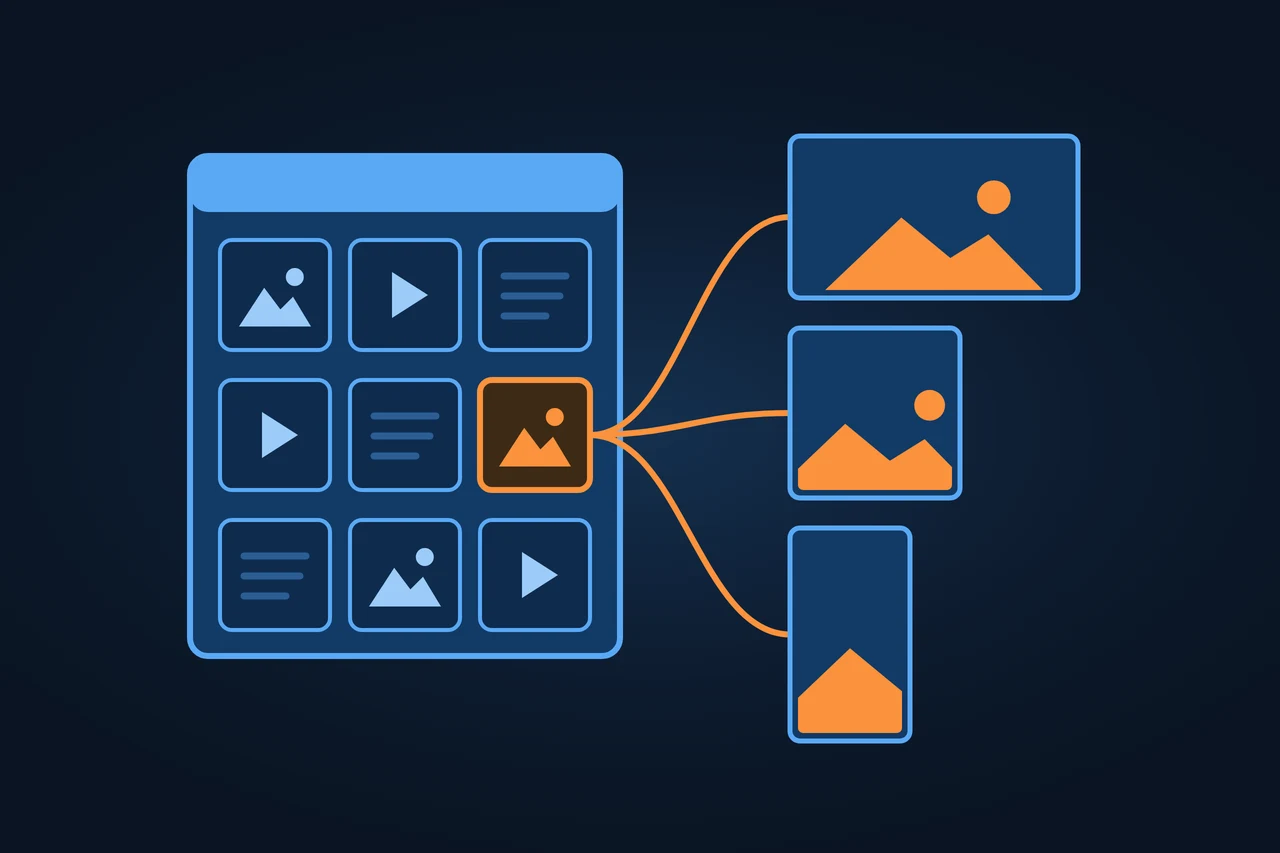
Digital asset management (DAM) is the software and the practice an organization uses to keep its images, videos, audio, graphics and documents in one place, describe them with metadata, control who may use them and deliver each file in the right format to the store, website, marketplace or printer. It is not to be confused with digital assets in finance, such as cryptocurrencies.
A DAM system stores, describes and delivers images, videos and documents. IPTC metadata, images for the web, DAM vs PIM and CMS, and the main tools.
Origin of the term
A digital asset is any file a business uses and wants to reuse under control: a product photo, the logo, a campaign video, a presentation template, a product data sheet in PDF. The software is called a DAM system or DAM platform.
According to the German-language Wikipedia, the first systems were called image databases, because at first they only handled photos. In the English-language Google Books corpus, the frequency of the phrase "digital asset management" grew more than a hundredfold between 1995 and 2000, according to our own Ngram Viewer query.
Two variants have their own names: media asset management (MAM), when the focus is video and audio, and brand asset management (BAM) or brand portal, when the system serves logos and brand material to dealers and agencies.
History and development
Early 1990s. The IPTC (International Press Telecommunications Council) creates the IPTC-IIM schema, so that details such as creator, caption and rights travel inside the image file. Before that, every system had its own format.
1992 to 1994. The first single-user programs appear, according to the German-language Wikipedia: Hasselblad's Pixolo, Canto Cumulus and, a little later, FotoStation from the Norwegian company FotoWare. They later become client-server systems.
2000s. Systems move into the browser, with the data held on a central server.
2012. XMP, the format developed by Adobe in which IPTC metadata is stored today, becomes the standard ISO 16684-1. The current second edition dates from 2019.
2017 to 2021. The IPTC Photo Metadata Standard adds star ratings and a link to the usage rights (2017), image regions (2019) and an alt text field for accessibility (2021).
2021. In December, version 1.0 of the C2PA specification is published. It is the technical basis of Content Credentials, which record where a file comes from and how it was edited.
2022. In June, the IPTC creates the value trainedAlgorithmicMedia, now labelled "Created using Generative AI". In November, the "Product Shown in the Image" field, which already took a GTIN, gets a generic identifier.
2023. In October, the IPTC adds the "Data Mining" field, which states whether data mining of the image is prohibited or permitted.
2024. The EU adopts the Artificial Intelligence Act, Regulation (EU) 2024/1689. Its Article 50 requires synthetic content to be marked in a machine-readable way.
2025. In November, IPTC 2025.1 adds four fields for AI-generated images: the prompt, its writer, the AI system used and its version.
2026. Article 50 applies from 2 August. Providers whose systems were on the market before that date have until 2 December to add the marking. In October, C2PA 2.5 is published.
How it works
A DAM system takes in files, adds information to them, controls how they are used and delivers them in different versions. The path of one product photo shows how.
One original in, the right version out for every channel
Intakeupload, bulk import or API; the full-resolution original
Descriptionmetadata, controlled vocabulary; AI tags are reviewed by a person
Versions and approvalevery change a new version; a workflow sets who approves
Rightslicence and expiry date; when it expires, the DAM pulls the file from the channels or alerts the owner
Outputfrom one original, the version each channel needs
→
Channels
Social mediasquare crop
MarketplaceJPEG
StoreWebP or AVIF in several sizes
Archiveno longer in use: moved to the archive with its metadata instead of deleted
How many versions of your most used product photo are scattered around right now?
Intake. Files arrive by upload, bulk import or through an API from other systems: the photo studio, the design agency, the PIM or the CMS. The DAM keeps the full-resolution original and can flag duplicates.
Description. An image carries two layers of metadata. The first travels inside the file: the camera's technical EXIF data and IPTC fields such as creator, copyright holder, caption or alt text, stored in the XMP format. The second exists only in the DAM: campaign, SKU, approved channels, licence expiry date. A controlled vocabulary, a fixed list of terms, keeps everyone tagging the same way. Tags that an AI suggests from the image content save time, but someone has to check them.
One image, two layers of metadata
Inside the file
stored in the XMP format
EXIFthe camera's technical data
IPTCcreator, copyright holder, caption, alt text
Only in the DAM
Campaign
SKU
Approved channels
Licence expiry date
Which of these does your product photography carry today, and where?
Versions and approval. Every change creates a new version and keeps the old one. A workflow sets who reviews and who approves before the file becomes available.
Rights. The DAM knows where each photo comes from, under which licence and until when. When a licence expires, it can pull the file from the channels or alert the owner.
Output. From one original, the DAM produces the versions each channel needs: a square crop for social media, a 1,200-pixel JPEG for the marketplace, WebP or AVIF in several sizes for the store. Delivery can run through a CDN, and every page uses the same URL for each image.
Archive. Files that are no longer in use move to an archive with their metadata instead of being deleted.
Images on the web. Google's image SEO guidelines, last updated in March 2026, list points a DAM can turn into fixed rules: If alt text is a required field in the DAM for each language, the store, the blog and the featured image of each article receive it ready-made.
Formats that Google Search supports: BMP, GIF, JPEG, PNG, WebP, SVG and AVIF, with a file extension that matches the file type.
Short, descriptive filenames instead of image1.jpg, translated when the image is localized.
Alt text that describes the image. Google uses it together with computer vision and the page content to understand what the image shows.
Several resolutions of the same file, served with the srcset attribute or the picture element, so a phone does not download the large version.
Types and variants
Type
For whom
Example according to the vendor
Cloud DAM (SaaS)
Marketing teams that do not want to run servers
Bynder, Brandfolder
Open-source or self-hosted DAM
Organizations with their own IT team
ResourceSpace, Pimcore
DAM inside a content suite
Companies already using the same vendor's CMS or platform
Adobe Experience Manager Assets, OpenText
DAM with media delivery and optimization
Stores and websites with large numbers of images and videos
Cloudinary
Brand portal (BAM)
Manufacturers and franchisors supplying dealers and agencies
Brandfolder, Frontify
Source: own compilation from vendor pages (accessed 08.11.2026). Media asset management for video and audio is covered under the differences.
Examples
Worked example, with no data from any company: an online kitchenware store with 3,000 products, six photos per product, three languages (English, Spanish and German) and four channels (store, marketplace, Google Shopping and social media).
The DAM holds 18,000 originals (3,000 times 6). If each original is delivered in four versions, that makes 72,000 derived files nobody uploads by hand. With one alt text per language, the store needs 54,000 texts (18,000 times 3). That is why the field is required at upload and not filled in later in the store.
One of those photos, a 28 cm frying pan on a white background, looks like this in the DAM:
Filename: nonstick-frying-pan-28-cm-front.jpg, with translated names for the Spanish and German versions.
IPTC fields inside the file: creator (the photo studio), copyright holder (the store), alt text in three languages.
DAM fields: product SKU and GTIN, the studio's licence with no end date, approved channels (all four), autumn campaign.
Versions: 2,000 pixels for the zoom view, 1,200 for the marketplace, 600 as WebP for the category page and a square crop for social media.
In the PIM, the pan's record stores the link to the DAM file by SKU. If the studio delivers a better photo, it is replaced once in the DAM, and the store, the marketplace and the feed show it after the next update.
How to measure it
Metric
Formula
What it tells you
Metadata completeness
Assets with all required fields / published assets × 100
Whether files can be found and carry rights and alt text
Alt text coverage
Published images with alt text in the language / published images in that language × 100
Accessibility and image SEO per language
Reuse rate
Assets used in at least two channels / published assets × 100
Whether the DAM prevents producing the same thing twice
Expired rights in use
Published assets with an expired licence / published assets × 100
Legal risk; the target is 0
Time to approval
Median days between upload and approval
Bottlenecks in the workflow
Source: own formulas; no published benchmarks with a stated method exist.
Advantages and disadvantages
Use case
Advantage
Disadvantage
Agency or marketing team with campaigns
One approved version of each asset, with its history
Tags and workflows must be agreed before the first upload
Online store with product photos
Every photo is tied to its product and delivered at each channel's size
Needs a connection to the PIM or store; without it, the DAM is one more folder
Manufacturer with a dealer network
Dealers download current material themselves
If nobody removes old material, it keeps circulating
Publisher or production company with video
Search across large archives and rights per item
Video needs storage and transcoding, which drive up the cost
Stores files without business context: no rights, no approval, no versions per channel
Image database
Photos with metadata
The earlier name for DAM, when it only handled photos
Source: own compilation; DAM per the Gartner glossary; cloud storage and MAM per the English-language Wikipedia.
Tools
In the Keyword Planner figures gathered for this entry (Google, November 2026), Bynder has about 6,600 brand searches a month in the United States and Brandfolder about 4,400, the highest among the DAM vendors checked. The table is alphabetical and is not a ranking.
Tool
What the vendor says it offers
Note
Adobe Experience Manager Assets
AI-powered DAM to manage, optimize and deliver content
Part of Adobe Experience Manager
Aprimo
DAM to centralize content and collaborate
Brandfolder
Brand asset management
Bynder
System of record for digital assets, powered by AI
Canto
DAM for images, videos and brand files
Its Cumulus is among the first programs of 1992 to 1994, per the German-language Wikipedia
Celum
Single source of truth for digital media assets
Cloudinary
Organize, optimize and deliver media, with generative AI features
FotoWare
DAM with automation and governance
Norwegian company
Frontify
DAM with AI search, approvals and format adaptation for brands
OpenText Digital Asset Management
Store and manage rich media across enterprise processes
A DAM organizes what it receives. Files that arrive with no creator, no licence or a name like IMG_4711.jpg get stored anyway, and filling in that information is still work for people, which can cost more than the licence.
The second limit is the boundary with other systems. If product photos can be uploaded to the DAM and also straight to the store or the PIM, two versions of the same image appear and nobody knows which one is right. Before rollout, decide which system leads for each kind of file.
Automatic tags make their own mistakes. An AI recognizes a frying pan but does not know whether it is the 24 cm or the 28 cm model, or whether the photo may be used in Germany. Metadata with legal or commercial consequences remains human work.
Legal framework
Whether a photo or video may be used depends on its licence, which is why a DAM records the rights holder, terms and expiry date. Photos of identifiable people also raise privacy questions; in the EU, the GDPR applies. For businesses selling into the EU, Article 4 of Directive (EU) 2019/790 allows text and data mining unless the rights holder has reserved it in an appropriate manner, such as machine-readable means for content made available online. The IPTC "Data Mining" field can record that choice inside the image, though the IPTC notes that the applicable law overrides the field value. For AI-generated images, Article 50(2) of the EU AI Act, Regulation (EU) 2024/1689, requires the provider of the AI system to mark them in a machine-readable format, by 2 December 2026 for systems placed on the market before 2 August 2026. A DAM can keep that marking and the Content Credentials when it creates new versions instead of stripping them; see also the entry on AI content labelling.
How to apply it, step by step
Count what you have: number of files, formats, where they sit and how many duplicates there are.
Define the metadata schema: which fields are required (creator, licence, expiry, alt text per language, SKU) and which controlled vocabularies apply.
Record the rights of each file before migrating it. Anything without a clear licence stays out of the channels.
Set a rule for filenames and folders, with descriptive words in the publishing language.
Start with one campaign or one product category as a pilot and measure completeness before and after.
Connect the DAM to the PIM, the CMS and the store so they pull images from it and not from local copies.
Check the metrics from the section above every month.
Best practices
Upload each photo once at full resolution and let the DAM create the versions.
Link product images by SKU or GTIN, not by filename.
Write alt text in every language you publish in, not only in English.
Store creator and rights inside the file as well (IPTC), so they travel with the image.
Keep provenance data and Content Credentials when exporting.
Common mistakes
Accepting AI-suggested tags without review.
Recording rights only in the filename or in a separate spreadsheet.
Uploading the same image in five sizes instead of generating versions from one original.
Leaving alt text until the end and typing it into the store, outside the DAM.
Migrating the whole old archive unfiltered and filling the system with duplicates.
How this entry was made
This entry was written in November 2026 with the help of AI. It started from an analysis of the top ten search results in the United States, Spain and Germany and of the answers from four AI assistants, to cover what they leave out: the IPTC and XMP metadata standards, images for the web, content provenance with C2PA and the link to the PIM. Every fact was checked against the original source.
Manuel Riveiro RodriguezCEO & Digital Strategist
A technical audit covers this and everything else in one pass.
DAM software is the application where a business stores its photos, videos and documents, tags them with metadata, manages approvals and usage rights, and sends each file to its channels in the required format. It can run in the cloud as a subscription or be installed on the company's own servers.
What is an example of a DAM system?
Adobe Experience Manager Assets, Bynder, Brandfolder, Canto and Cloudinary are DAM systems, and ResourceSpace is an open-source one. One use is an online store that keeps every product photo in the DAM and delivers it to the store, marketplaces and social media in the right size.
What is the difference between DAM and PIM?
A PIM holds product data such as attributes, descriptions and GTINs. A DAM holds the files, such as photos, videos and manuals. They work together: the PIM record links to the DAM photos by the product's SKU.
Is there open-source DAM software?
Yes. ResourceSpace is open-source DAM software, and Pimcore offers a Community Edition with a DAM module. Both need a technical team to install, run and adapt them.
What does a digital asset manager do?
A digital asset manager runs the DAM within a company. The role sets the metadata schema and naming rules, checks rights and expiry dates, trains users and tracks metrics such as metadata completeness.