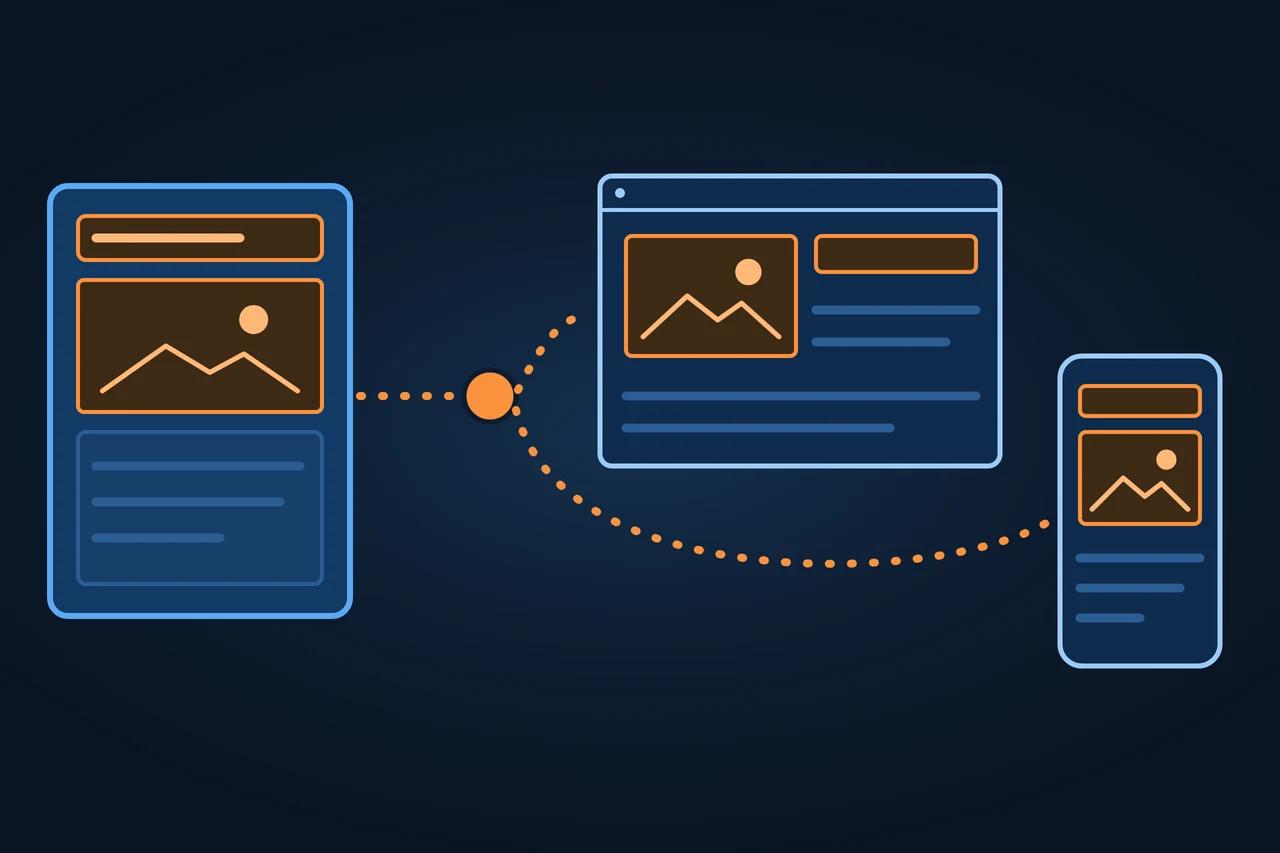
A headless CMS is a content management system that stores and organizes content and delivers it as data through an API, without a presentation layer of its own. The website, app or screen that displays the content is built separately. Contentful defines it as a CMS that separates the presentation layer from the backend where content is managed. The term is sometimes used interchangeably with "decoupled CMS", although decoupled strictly describes a different architecture.
A headless CMS manages content and delivers it through an API, with no presentation layer. How it works, how it differs from decoupled, what editors face.
Origin of the term
Merriam-Webster records the adjective "headless" from before the 12th century, with the senses "having no head" and "having no chief". In a CMS, the head is the presentation layer. Sanity explains it with the image of a body and a head: the body is where content is stored, the head is where it is presented. A headless CMS keeps the body and leaves the head to other systems, which request the content through an API.
History and development
These dates mark the path of the architecture, not the birth of the word:
2013: according to Contentful, Sascha Konietzke and Paolo Negri found the company.
30 September 2015: the Strapi repository is created on GitHub; the project describes Strapi as an open-source headless CMS.
6 December 2016: WordPress 4.7 adds REST API endpoints to core for posts, comments, terms, users, meta and settings.
24 January 2019: Dries Buytaert, founder of Drupal, distinguishes three architectures on his blog: traditional (coupled), progressively decoupled and fully decoupled.
1 May 2019: Drupal 8.7 ships the JSON:API module as a stable core feature, which the announcement presents as a way to build decoupled applications.
How it works
Work starts with the content model. According to Contentful, the team first defines the content types and the fields each type needs, for example an "article" type with title, main content, publish date and author, and then creates entries for each type. Contentful also supports references between entries, so the author can be an entry of its own that several articles reuse.
Content leaves the CMS through an API, usually as JSON. Contentful separates two main APIs. The Content Delivery API is read-only, delivers published content and media files (images, videos) and runs through a CDN. The Content Management API reads and writes: it is used to create and change content and also returns unpublished content and every locale, but Contentful warns against using it to deliver large amounts of content. Strapi offers its Content API through REST and GraphQL.
When something changes, the CMS can notify other systems with a webhook. Contentful defines webhooks as HTTP callbacks that send notifications when data changes, so external systems can react, for example by triggering a website rebuild. In Strapi, events are selected per content type, such as entry.publish.
Because the CMS does not produce HTML, the front end decides where and when each page is rendered. Astro pre-renders pages as static files at build time by default; according to Astro, a page rendered on demand can show freshly updated data without a full-site rebuild. Next.js treats layouts and pages as Server Components by default, rendered on the server. With static pages, the publish webhook is what starts the new build; with server-side rendering, new content arrives with the next request. If everything is assembled in the browser, that is client-side rendering.
For editors, the main change is the preview, because the CMS does not have the finished page. Contentful offers a Preview API with published and unpublished content and a token of its own; production tokens do not work there, to prevent unpublished content from leaking. In Next.js, Draft Mode lets editors see how draft content will render, while other visitors keep seeing the cached version. Storyblok offers a visual editor with in-context preview and draft, review and publish workflows.
One content store, three ways in
According to Contentful
Content Delivery API
Allowsread-only
Deliverspublished content and media files, through a CDN
Forpublic website and apps
Content Management API
Allowsreads and writes
Deliversalso unpublished content and every locale
Forcreating and changing content; not for delivering large amounts
Preview API
Allowsread-only, its own token
Deliverspublished and unpublished
Foreditors' preview; production tokens do not work there
Which token sits in your front end?
Types and variants
Type
How it runs
Examples
Cloud service with an API
The vendor hosts the backend and the API; the team only builds the front end
Contentful, Storyblok
Self-hosted
The team installs and maintains the CMS on its own infrastructure; some vendors also offer a cloud version
Directus, Payload, Strapi
Git-based
Content is stored as files in the repository, next to the code
Decap CMS
Classic CMS in headless mode
A CMS with its own templates also delivers its content through an API
Source: documentation and pages of Contentful, Storyblok, Directus, Payload, Strapi, Decap CMS, WordPress, Drupal and Ghost (accessed 15.11.2026).
The categories overlap. Hygraph names Strapi Cloud as an example of a cloud service built on open source. How WordPress works as a headless CMS is covered in its own entry.
Examples
Contentful describes a visit to a product page like this:
The browser requests the page from the front-end code.
The front end asks the CMS API for that product's entry.
The API checks that the request is allowed and returns the published version as JSON.
The front end passes the data to its page template and sends the finished page to the browser.
The same API can feed a website, a mobile app or a display at the same time, each with its own design. An example of publishing on a static site: an editor publishes an article in Strapi, Strapi sends the entry.publish event, the build service regenerates the pages with Astro and the CDN serves the new version.
Advantages and disadvantages
Whether a headless CMS pays off depends on the case:
Case
What it brings
What it costs
One website, many editors, little development capacity
Depends on what the editors need; a classic CMS already covers most of it
Your own front end, a custom preview and less on-page editing
Several channels (web, app, screens)
One repository and one API for every front end
One front end per channel, each with its own maintenance
Several languages
The CMS manages the translations of each entry
URLs per language and hreflang tags come from the front end
Online shop
Content is managed separately from catalog and orders
Integrating the CMS with the commerce system
Source: Contentful, "Headless CMS explained in one minute"; Sanity, "Headless CMS 101"; Dries Buytaert, "How to decouple Drupal in 2019" (accessed 15.11.2026).
Dries Buytaert puts it this way: for a mostly editorial organization, decoupling can be problematic because it reduces how much control editors have over the presentation of their content.
How it differs from related concepts
Architecture
Who generates the HTML
Example
Coupled (traditional)
The CMS itself, with its templates or themes
Drupal or WordPress with a theme
Decoupled
The CMS comes with a presentation layer, but using it is optional; it also delivers through an API
Ghost with its theme layer; progressively decoupled Drupal
Headless
Another system; the CMS has no presentation layer
Contentful, Strapi
Source: Contentful, section "The difference between headless CMS and decoupled CMS"; Sanity, "Headless CMS 101"; Dries Buytaert, "How to decouple Drupal in 2019"; Ghost documentation (accessed 15.11.2026).
The terms are not used consistently: Contentful writes that some use them interchangeably although they are not identical, and Sanity that they often get used interchangeably. In Drupal, what both call headless is called "fully decoupled".
The basic comparison between a traditional and a headless CMS is in the CMS entry. The same principle applied to a shop is headless commerce: the headless CMS manages content, the commerce engine handles the selling logic.
Tools
Tool
According to the vendor
Contentful
Delivers content through a read-only API at cdn.contentful.com, via a CDN; preview through a separate API
Directus
"Collaborative Backend & Headless CMS"; self-hosted or on Directus Cloud; own license (MSCL-1.0), with each version also available under GPL-3.0 after four years
Hygraph
Structured content platform: models content as entities and relationships and delivers it through one GraphQL API
Payload
"The Next.js Headless CMS and App Framework"; MIT license
Sanity
"The Content Operating System for the AI era"; its editor, Sanity Studio, is MIT-licensed
Storyblok
Cloud service managed by the vendor, with a visual editor and in-context preview
Strapi
"Open-Source TypeScript Headless CMS"; MIT license except the Enterprise Edition code; Strapi Cloud or self-hosted
WordPress
Classic CMS that has delivered its content through the REST API since version 4.7
Source: each vendor's pages, documentation and licenses (accessed 15.11.2026). Alphabetical order, no ranking.
Criticism and limits
The front end is not included: Contentful writes that it is always the customer's responsibility. Sanity, which sells a headless CMS, concedes that this can raise initial setup costs and complexity, and that relying on developers can slow down content changes. Features a classic CMS ships with, such as on-page editing or layout building, have to be rebuilt; Dries Buytaert warns that this can be time-consuming and expensive.
On cloud services, API usage has limits that depend on the plan. Contentful sets calls per second per space: on its paid plans, 78 for the Delivery API and 10 for the Management API. Hygraph claims there is less lock-in because content lives in an API-delivered format; that is the vendor's claim.
On its own, a headless CMS does not take care of SEO. Title, meta description, canonical, hreflang and sitemap have to exist as fields in the model, and the front end has to write them into the HTML. Google recommends server-side rendering or pre-rendering because it speeds up the site for users and crawlers, and not every bot runs JavaScript. How we solved it with a headless CMS and Astro is in our article on headless CMS and SEO.
How to apply it, step by step
Count the channels that will use the content before choosing the architecture.
Define the content model before the design: types, fields and references.
Add fields for title, meta description, canonical and language to the model.
Decide for each page type whether it is generated at build time, on the server or in the browser.
Set up the preview early, with the preview API or the front end's draft mode.
Connect the publish webhook to the build or to the cache.
Check how content and model can be exported before choosing a vendor.
Best practices
Keep tokens apart: one delivery token for production and a separate one for preview.
Serve public content through the delivery API and keep the management API for writing.
Filter webhooks by environment, so that a change in staging does not rebuild production.
Common mistakes
Serving the public website through the Management API.
Putting the preview token into code that reaches the browser.
Rendering everything in the browser and assuming every bot will see it.
Choosing headless for a small website with many editors and hardly any developers.
How this entry was made
This entry was written in November 2026 with the help of AI. The information comes from vendor documentation and pages, the WordPress and Drupal release notes, Dries Buytaert's blog, the Astro, Next.js and Google documentation and the Merriam-Webster dictionary. It was reviewed before publication and contains no client data.
Manuel Riveiro RodriguezCEO & Digital Strategist
A technical audit covers this and everything else in one pass.
"Without a head". The head is the layer that presents the content; a headless CMS only stores and delivers it.
What are examples of a headless CMS?
Among others, Contentful, Directus, Hygraph, Payload, Sanity, Storyblok and Strapi. WordPress, Drupal and Ghost are classic CMSs that can also run in headless mode.
What is the difference between headless and decoupled?
A decoupled CMS comes with an optional presentation layer and also delivers through an API; a headless CMS has no presentation layer. Contentful and Sanity both note that the two terms get mixed up.
What are the disadvantages of a headless CMS?
You have to build and maintain the front end, set up the preview and rebuild editing features a classic CMS ships with. On cloud services, API usage is limited by plan.
Can WordPress work as a headless CMS?
Yes. Since version 4.7, released in December 2016, WordPress delivers posts, pages and other data as JSON through its REST API, and another system generates the public pages.