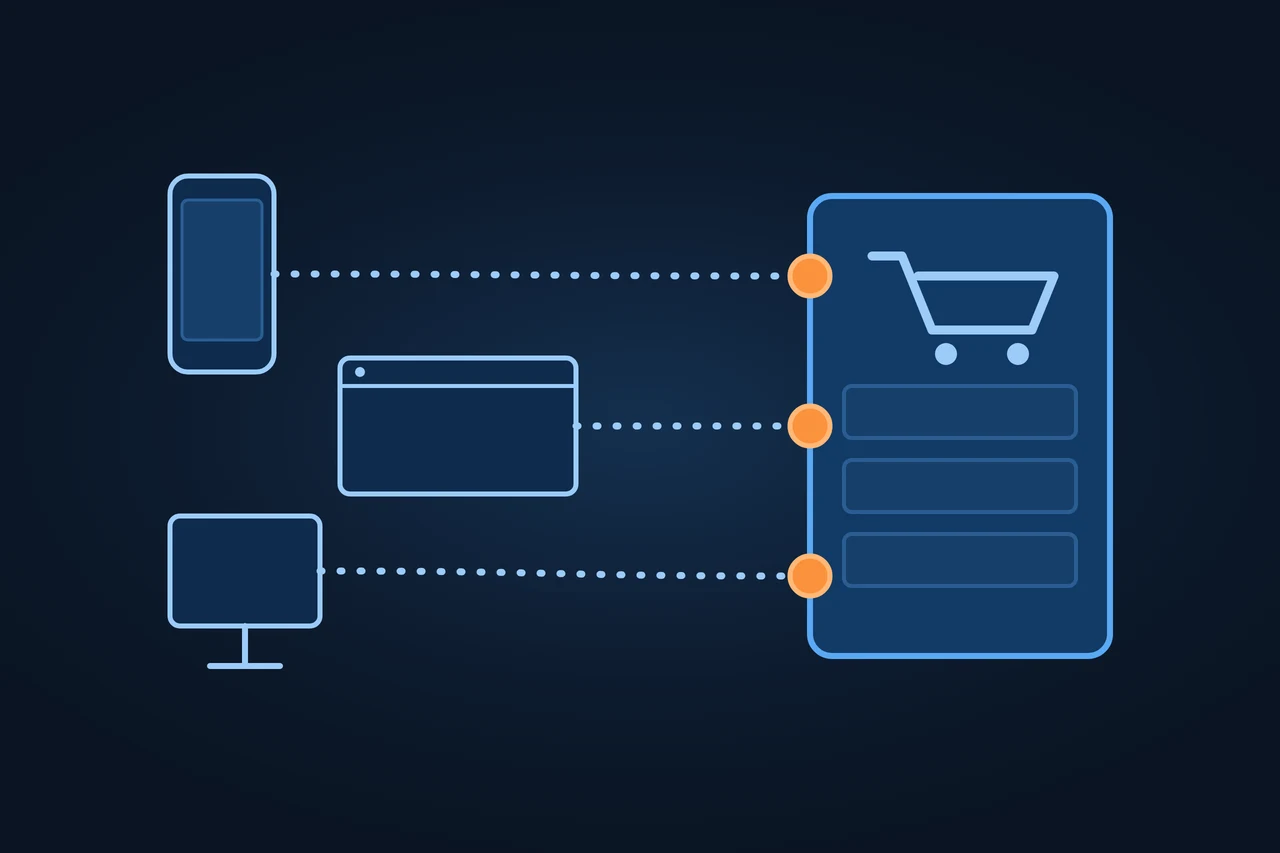
Headless commerce is a way of building an online shop in which the part customers see, the frontend, is separated from the commerce logic: catalogue, prices, cart, checkout and orders. The two sides talk to each other through an API. It is also called headless ecommerce.
Headless commerce: a shop separates its storefront from the commerce logic and links them via APIs. How it works, what changes for SEO, when it pays off.
Origin of the term
"Headless" describes a system with its presentation layer taken off. According to a Forrester analyst writing in 2019, and according to commercetools itself, the term was put forward in 2013 by Dirk Hoerig, co-founder of commercetools. The same Forrester post says a 2013 Forrester report had recommended keeping the content system "loosely coupled" to the commerce system. On the pages of sphere.io, the original name of the commercetools product, as archived by the Internet Archive in April 2013, the word does not appear, so the attribution rests on those two sources.
How it works
A commerce engine stores products, prices, stock and orders and exposes them through APIs, for example REST or GraphQL. The frontend, whether a website, an app or another channel, requests that data and builds the pages. Shopify puts it this way: "You build the frontend, and Shopify's APIs handle the commerce underneath." According to Shopify, this lets a merchant sell on a website, in an app, in a game, in a livestream or through a buy button on another site. BigCommerce notes that a single operation on a headless storefront, such as taking a payment, can take several API calls.
Alongside the engine there is often a headless CMS for text and images. The split is about what each one manages: the headless CMS handles content, the commerce engine handles products, prices and orders.
Frontend and commerce logic, joined by an API
Frontend
Website
App
Another channel
API · e.g. REST or GraphQL
Commerce engine
Products
Prices
Stock
Orders
Headless CMSoften alongside
Text
Images
Which channels do you want to sell on from the same catalogue?
Types and variants
Aspect
Monolithic shop
Headless commerce
Frontend and commerce logic
In one system, with templates or themes
Separate, connected by APIs
Who generates the HTML
The shop platform
Your own frontend, on the server or in the browser
Channels
Mainly the shop's website
Website, app and other channels from one catalogue
Some vendors use the word composable for similar ideas. Shopware, for example, describes its Composable Frontends as a toolkit for building platform-agnostic custom storefronts.
Examples
On 29 June 2021, Shopify previewed Hydrogen, then a React framework for custom storefronts, and Oxygen, a way to host those storefronts on Shopify. In version 2026-10, Hydrogen is described as Shopify's headless toolkit and works with frameworks such as Next.js, React Router, Nuxt, Astro and SvelteKit; Oxygen runs the storefront as a Web Worker, and Hydrogen storefronts can also be hosted elsewhere, such as on Vercel. Shopware's Frontends connect to the shop through its Store API, with a demo store built on Vue.js and Nuxt.
How to measure it
What matters in a headless shop is what Google receives. The URL Inspection tool in Google Search Console shows a screenshot of the rendered page, the resources that loaded and the code the JavaScript produced. A curl request to a product page tells you whether the server's HTML already contains the name, price and description, or whether they only arrive later through JavaScript.
Advantages and disadvantages
The advantage is freedom: any technology for the frontend, one catalogue for several channels, and the option to connect a CRM, an ERP or a PIM to either side.
Shopify itself admits the cost: "A headless storefront costs more to build and run than a theme." The merchant has to accept the added cost and complexity and have developers to maintain the storefront after launch. Shopify suggests going headless only when the business cannot get what it needs from its sales channels, themes and apps.
For SEO, headless is neither better nor worse in itself. It depends on how it is built:
Rendering. Google queues every page with a 200 status code for rendering, and it recommends server-side rendering or pre-rendering because not all bots can run JavaScript. A frontend that builds product pages only in the browser (client-side rendering) instead of using server-side rendering depends on that second step.
Status codes. In a single-page app, a URL that does not exist can return 200 and become a soft 404. Google describes how to avoid it. Hydrogen, for its part, checks the shop's URL redirects before it serves a 404.
Resources. Google warns against blocking scripts in robots.txt when it cannot understand the page without them.
Filters. Faceted navigation produces large numbers of URLs; Google recommends preventing them from being crawled if they don't need to be in the index.
Product structured data, which the frontend has to generate from the API.
A headless CMS separates content from presentation; headless commerce does the same with the commerce logic. A shop can use both at once. E-commerce is the general idea of selling online; headless only describes how the shop is built.
Tools
Platform
How it supports headless
Documentation
Adobe Commerce
GraphQL APIs for headless storefronts and mobile apps
Adobe, "GraphQL overview"
BigCommerce
APIs and SDKs as a commerce backend for your own frontend
BigCommerce, "Introduction to Headless Commerce"
commercetools
Commerce engine with no bundled frontend, plus its own frontend framework
commercetools, "Frontend overview"
Shopify
Storefront API, Hydrogen and hosting on Oxygen
Shopify, "About headless commerce"
Shopware
Store API and Composable Frontends
Shopware, "Frontends"
VTEX
Commerce REST APIs for headless shopping experiences
VTEX, "Headless commerce"
Source: each vendor's documentation (accessed 12.11.2026). Alphabetical order, no ranking.
Criticism and limits
The figures vendors publish on the sales or speed of headless shops don't explain their method, and this entry leaves them out. There is no standard definition either: each vendor describes headless from the angle of its own product.
How to apply it, step by step
Check whether your current platform, with its themes and apps, already covers what you need.
Make sure you have a development team for the frontend after launch, not only for the build.
Choose a frontend that delivers server-rendered HTML for category and product pages.
Plan redirects for the old URLs before you switch.
Generate product structured data from the API.
Use Search Console to check the rendered HTML of a category page and a product page.
Best practices
Return a real 404 for products that no longer exist, not an empty page with a 200.
Leave the scripts and stylesheets Googlebot needs for rendering accessible.
Common mistakes
Going headless without an in-house team to maintain the frontend.
Launching a frontend that only paints the content in the browser.
Forgetting the redirects from the old shop.
How this entry was made
This entry was written in November 2026 with AI assistance. The facts come from documentation by Shopify, BigCommerce, Shopware, Adobe Commerce, VTEX and commercetools, a Forrester blog post, Google's documentation and the Internet Archive. It was reviewed before publication and contains no client data.
Manuel Riveiro RodriguezCEO & Digital Strategist
A technical audit covers this and everything else in one pass.
A system without its own presentation layer. It manages data and functions and delivers them through an API to another application, which takes care of displaying them.
What is the difference between headless commerce and traditional ecommerce?
In a traditional shop, the same platform runs the commerce and generates the pages from its themes. In a headless shop, your own frontend generates the pages and requests the data through APIs.
Is headless commerce the same as a headless CMS?
No. A headless CMS manages content; headless commerce covers the commerce logic. Many headless shops use both.
Is headless commerce good for SEO?
It depends on how it is built. If category and product pages reach Google as complete HTML with correct status codes, SEO works the same as in a traditional shop. If the content only appears in the browser, the risk goes up.
What are the disadvantages?
More cost and more complexity. Shopify acknowledges that a headless storefront costs more to build and run than a theme, and that the merchant needs developers after launch.