
Skip to content

Glossary Progressive Web App

What Is a Progressive Web App (PWA)?

Definition

A progressive web app (PWA) is a website that the browser can install like an app, with its own icon and window and without going through an app store. According to MDN, a manifest file is what makes it installable; a service worker is optional and enables offline use, background work and notifications. How a PWA differs from a native app is covered in What is an app?.

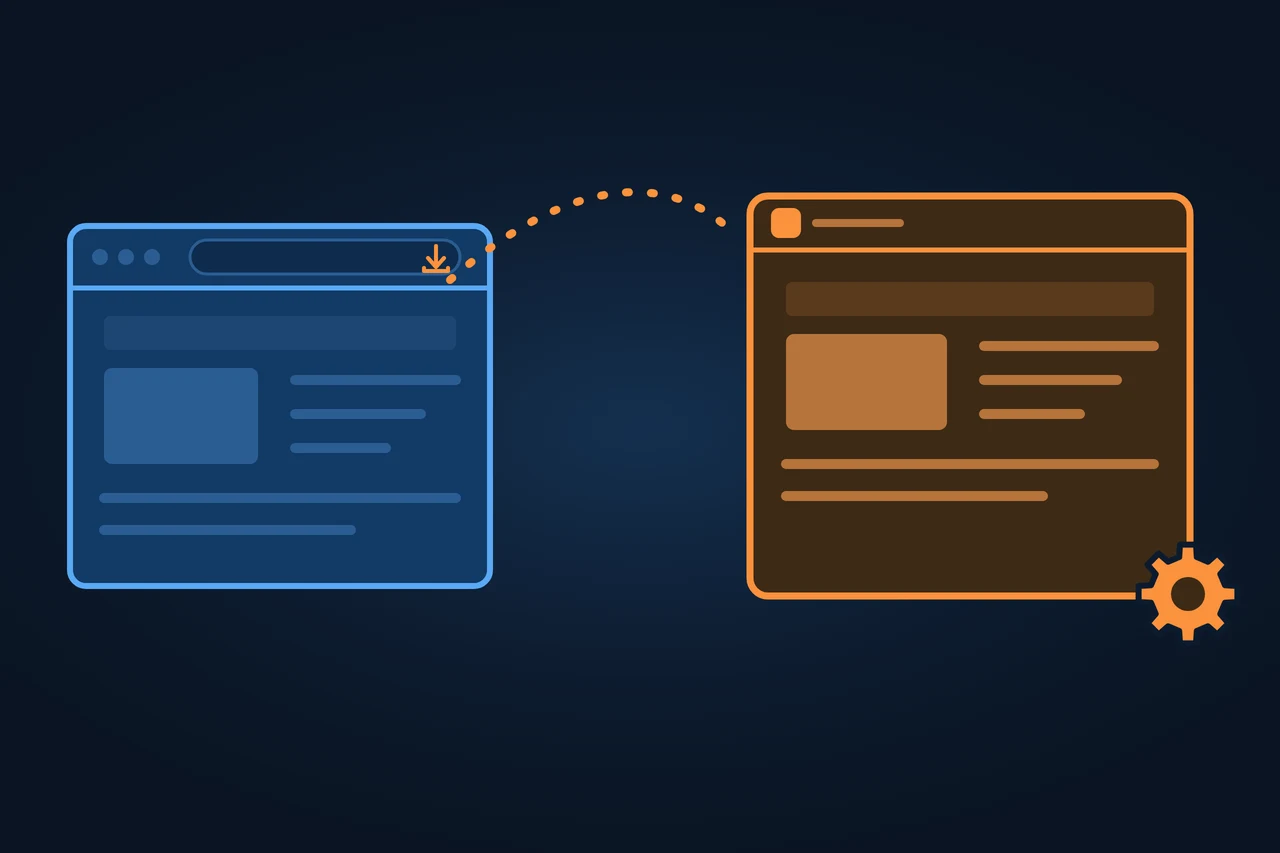
On the left, a browser window with a small orange install icon in the address bar; an orange dotted path leads to the same page on the right, now in a window of its own without an address bar, with an orange border and a gear in the corner, on a dark blue ground.
On this page 13
  1. Origin of the term
  2. History and development
  3. How it works
  4. Types and variants
  5. Examples
  6. How to measure it
  7. Advantages and disadvantages
  8. How it differs from related concepts
  9. Criticism and limits
  10. How to apply it, step by step
  11. Best practices
  12. Common mistakes
  13. How this entry was made
In brief

A PWA is a website you can install like an app, thanks to a manifest, and that can work offline. Origin, install by browser, iOS limits, SEO, examples.

On the left, a browser window with a small orange install icon in the address bar; an orange dotted path leads to the same page on the right, now in a window of its own without an address bar, with an orange border and a gear in the corner, on a dark blue ground.

Origin of the term

The name comes from a post Alex Russell published on 15 June 2015 on his blog Infrequently Noted. The night before, he writes, Frances Berriman and he listed over dinner the attributes of this new class of applications: they fit any screen, work offline with service workers, install without a store and can be shared with a URL. On the name: "Frances called them 'Progressive Open Web Apps' and we both came around to just 'Progressive Apps'."

So in 2015 the name was "Progressive Apps", which is also the post's title in the Internet Archive copy of 17 June 2015. Today it is titled "Progressive Web Apps: …", while the URL still reads "progressive-apps", and by September 2016 Russell was using that form himself. "Progressive" refers to progressive enhancement: for Russell they are "just websites that took all the right vitamins", which earn a place on the home screen as people use them.

History and development

  • 15 June 2015: Russell and Berriman name "Progressive Apps".
  • 12 September 2016: Russell sets out baseline criteria: HTTPS, loading offline (and therefore a service worker) and a manifest.
  • 2018: according to WebKit, Safari on iOS 11.3 adds service workers and iOS 11.4 adopts the manifest.
  • 2019: Chrome adds PWA installation on desktop.
  • 16 February 2023: iOS and iPadOS 16.4 (beta) bring push notifications to Home Screen web apps, and third-party browsers can add sites to the Home Screen.
  • February and March 2024: Apple announces it will remove these web apps in the EU because of the Digital Markets Act, then reverses course: they stay with iOS 17.4.
  • 22 April 2024: Lighthouse 12.0 drops the PWA category.
  • 15 September 2025: on iOS and iPadOS 26, according to WebKit, every site added to the Home Screen opens as a web app, with or without a manifest.

How it works

A PWA rests on three parts: a website served over HTTPS, a manifest (a JSON file linked from every page that describes how the app is installed and displayed) and, optionally, a service worker.

According to MDN, Chrome, Edge and Samsung Internet require the manifest to include name or short_name, icons at 192 and 512 pixels, start_url, display or display_override, and prefer_related_applications set to false or left out. The web.dev guide (19 September 2024) names only display and adds that Chrome shows its install prompt after at least one click and 30 seconds on the page.

The service worker is a script that runs on a separate thread, between the page and the network. When it installs it can store resources in the cache, when it activates it can delete old versions, and after that it intercepts every request. MDN describes three strategies:

  • Cache first: for the basic interface; stored responses are not refreshed until a new service worker arrives.
  • Cache first with refresh (stale while revalidate): answers from the cache and updates it from the network at the same time.
  • Network first: falls back to the cache only when the network fails, for example for recent messages in a chat app.
How old may the answer be?

A PWA can mix them by type of resource; for data that must never be stale, such as the products in stock, MDN recommends network only.

Types and variants

How a PWA is installed depends on the browser and the operating system.

PlatformHow to installWhat to keep in mind
Chrome and Edge on desktopInstall icon in the address barOn every desktop OS Chromium supports
Safari on macOSFile > Add to Dock (macOS Sonoma, Safari 17)With or without a manifest
Firefox on desktopDoes not install PWAs from the manifestOnly with an extension
AndroidChrome with Google Mobile Services and Samsung Internet: as an app (WebAPK)Other browsers: a shortcut that opens the browser
iOS and iPadOSShare > Add to Home Screen; since 16.4 also in Chrome, Edge, Firefox and OrionNo custom install prompt (beforeinstallprompt)

Source: MDN, "Making PWAs installable" (6 October 2026) and "Installing and uninstalling web apps" (17 September 2026), accessed 14.11.2026.

On iOS, according to WebKit (February 2023), push notifications only reach installed web apps, and permission can only be requested after a user action. Since iOS 17 an installed web app has the same storage quota as in the browser. The deletion after seven days of Safari use without interaction (March 2020) works differently: each Home Screen web app counts its own days of use, and WebKit does not expect its data to be deleted.

In app stores: for Google Play, Chrome offers Trusted Web Activity (Chrome 72 or later), an Android app that opens the site full screen; for the Microsoft Store, Microsoft explains how to package the PWA with PWABuilder, which according to MDN also builds packages for the iOS App Store.

Examples

In 2015 Russell showed the flow with flipboard.com in Chrome for Android: the site starts in a tab, after several visits the browser offers to keep it, and it then opens full screen from the home screen.

Mainline Menswear, a UK-based online fashion retailer, compared its PWA with its mobile website. In the web.dev case study (20 April 2021), the company reports a 55% higher conversion rate and 243% higher revenue per session for the PWA, measured on a small share of its users.

Trivago measured sessions cut off by a lost connection. According to web.dev (2020), of the users affected, around 3%, 67% kept browsing once they were back online.

How to measure it

Lighthouse no longer audits PWAs as of version 12.0; Chrome points to DevTools instead. In the Application panel, the Manifest tab lists install errors under Installability, and the Service Workers tab simulates going offline and emulates push messages.

The effect shows up in analytics, by comparing installed and in-browser sessions or, as Trivago did, by logging when the connection drops and returns.

Advantages and disadvantages

According to MDN, a PWA runs on several platforms from one codebase and, like an app, installs and works offline. According to Russell, it also keeps itself up to date without going through a store.

Against it are the platform differences in the table. Also, according to MDN, the same PWA installed from two browsers becomes two copies that do not share data.

For SEO, a PWA carries the same risk as any JavaScript-heavy site. According to Google, with the app shell model the initial HTML does not contain the content; Google asks for the History API instead of fragments (#), and its renderer clears cookies and local storage between page loads. More in client-side rendering and JavaScript SEO; the URL Inspection tool in Search Console shows whether the rendered HTML contains the text.

How it differs from related concepts

Every PWA is a web app, but not the other way round: according to MDN, a PWA can be installed, and for that it needs a manifest. The comparison of native app, website and PWA sits in the entry on apps.

According to MDN, adding a site that is not a PWA to the home screen only creates a shortcut to the browser; on iOS and iPadOS 26, according to WebKit, it opens as a web app unless the user turns that off. A Trusted Web Activity is an Android app that displays a PWA.

Criticism and limits

On iOS, PWAs depend on Apple's decisions. In February 2024 Apple justified the removal in the EU with security concerns around alternative browser engines and the "very low user adoption" of these web apps, without giving a figure. In the App Store, its guideline 4.2 asks that an app go "beyond a repackaged website".

The criteria also change. In 2016 Russell wrote that they were tightening and that the opposite was unlikely. Since versions 108 (mobile) and 112 (desktop), Chrome no longer requires a service worker to install from the menu, and Safari on iOS 26 has no requirements left, according to WebKit. Older texts still list the service worker as required, among them Russell's own 2016 criteria (12 September 2016).

How to apply it, step by step

  • Make sure the site works over HTTPS and gets indexed without being installed, with its own URL for each piece of content.
  • Create the manifest with name or short_name, 192 and 512 pixel icons, start_url and display, and link it from every page.
  • If you use a service worker, pick a cache strategy per type of resource and delete old caches when it activates.
  • Provide your own page for when there is no connection.
  • Check Installability and offline mode in Chrome DevTools.
  • Install the PWA on Android, iOS and desktop, and test notifications on iOS from the installed app.

Best practices

  • Ask for notification permission only after a user action.
  • Add description and screenshots to the manifest; on Android they appear in the install prompt, according to MDN.
  • Put a content fingerprint in file names (main.2bb85551.js), as Google recommends, so Googlebot does not use outdated JavaScript.
  • If offline data matters, request persistent storage with navigator.storage.persist().

Common mistakes

  • Adding a service worker with an empty fetch handler just to meet the criteria; according to Chrome, it hurts performance.
  • Using cache first for content that changes.
  • Loading different views through URL fragments (#).
  • Assuming an iPhone can only install from Safari: since iOS 16.4 other browsers can too.
  • Assuming iOS deletes an installed PWA's data after seven days without use: WebKit sets that limit for Safari.

How this entry was made

This entry was written in November 2026 with AI assistance. The facts come from Alex Russell's posts of 2015 and 2016 and from documentation by MDN, web.dev, Chrome, Google, WebKit, Apple and Microsoft. It was reviewed before publication and contains no client data.

Manuel Riveiro Rodriguez CEO & Digital Strategist

A technical audit covers this and everything else in one pass.

Request an audit

Frequently asked

What is a PWA and what is it for?

It is a website you can install like an app, without an app store. It brings app features such as offline use or notifications to the site's own code.

How do you install a progressive web app?

In Chrome or Edge on desktop, with the install icon in the address bar; on Android, from the browser menu; on iPhone and iPad, with Share and "Add to Home Screen".

Do PWAs work on iPhone?

Yes, as web apps on the Home Screen. Since iOS 16.4 they can receive push notifications once installed.

What is the difference between a web app and a progressive web app?

A PWA is a web app that can be installed. According to MDN, that takes a manifest with a name, icons and a start URL.

Can you give me some examples of PWAs?

Russell showed Flipboard's in 2015. Web.dev covers the cases of Mainline Menswear and Trivago, with figures from the companies themselves.

Sources

  1. Alex Russell, "Progressive Web Apps: Escaping Tabs Without Losing Our Soul", Infrequently Noted, 15 June 2015.
  2. Internet Archive, copy of the same post from 17 June 2015, then titled "Progressive Apps: Escaping Tabs Without Losing Our Soul".
  3. Alex Russell, "What, Exactly, Makes Something A Progressive Web App?", 12 September 2016.
  4. MDN, "Progressive web apps", last modified 31 August 2026.
  5. MDN, "Making PWAs installable", last modified 6 October 2026.
  6. MDN, "Installing and uninstalling web apps", last modified 17 September 2026.
  7. MDN, "What is a progressive web app?", last modified 4 December 2025.
  8. MDN, "Caching", last modified 12 June 2025.
  9. web.dev, "What does it take to be installable?", last updated 19 September 2024.
  10. web.dev, "What makes a good Progressive Web App?", last updated 19 September 2024.
  11. Chrome for Developers, "Revisiting Chrome's installability criteria".
  12. Lighthouse, release 12.0.0 of 22 April 2024, "PWA Category Removal".
  13. Chrome DevTools, "Debug Progressive Web Apps".
  14. WebKit, "New WebKit Features in Safari 11.1", 12 April 2018.
  15. WebKit, "Web Push for Web Apps on iOS and iPadOS", 16 February 2023.
  16. WebKit, "Updates to Storage Policy", 10 August 2023.
  17. WebKit, "WebKit Features in Safari 26.0", 15 September 2025, section "Every site can be a web app on iOS and iPadOS".
  18. WebKit, "Full Third-Party Cookie Blocking and More", 24 March 2020.
  19. Apple Developer, "Update on apps distributed in the European Union", Internet Archive copy of 20 February 2024.
  20. Apple Developer, the same page with the reversal, copy of 9 March 2024.
  21. Apple, "App Review Guidelines", guideline 4.2 "Minimum Functionality".
  22. Chrome for Developers, "Trusted Web Activity", last updated 4 February 2020.
  23. Microsoft, "Publish a PWA to the Microsoft Store".
  24. Google Search Central, "Understand JavaScript SEO Basics", last updated 4 March 2026.
  25. Google Search Central, "Fix Search-Related JavaScript Problems", last updated 18 December 2025.
  26. web.dev, "Mainline Menswear implements PWA and sees a 55% conversion rate uplift", last updated 20 April 2021.
  27. web.dev, "How Progressive Web Apps can drive business success", last updated 20 May 2020.