
Skip to content

Glossary User agent

What Is a User Agent?

  • Technical SEO
Definition

A user agent is the client program that initiates a request to a web server: a browser, a crawler, an app or a command-line tool. The term also covers the text that program uses to introduce itself in the HTTP User-Agent header, for example "Mozilla/5.0 (Windows NT 10.0; Win64; x64) AppleWebKit/537.36 (KHTML, like Gecko) Chrome/157.0.0.0 Safari/537.36". The current standard, RFC 9110, defines both.

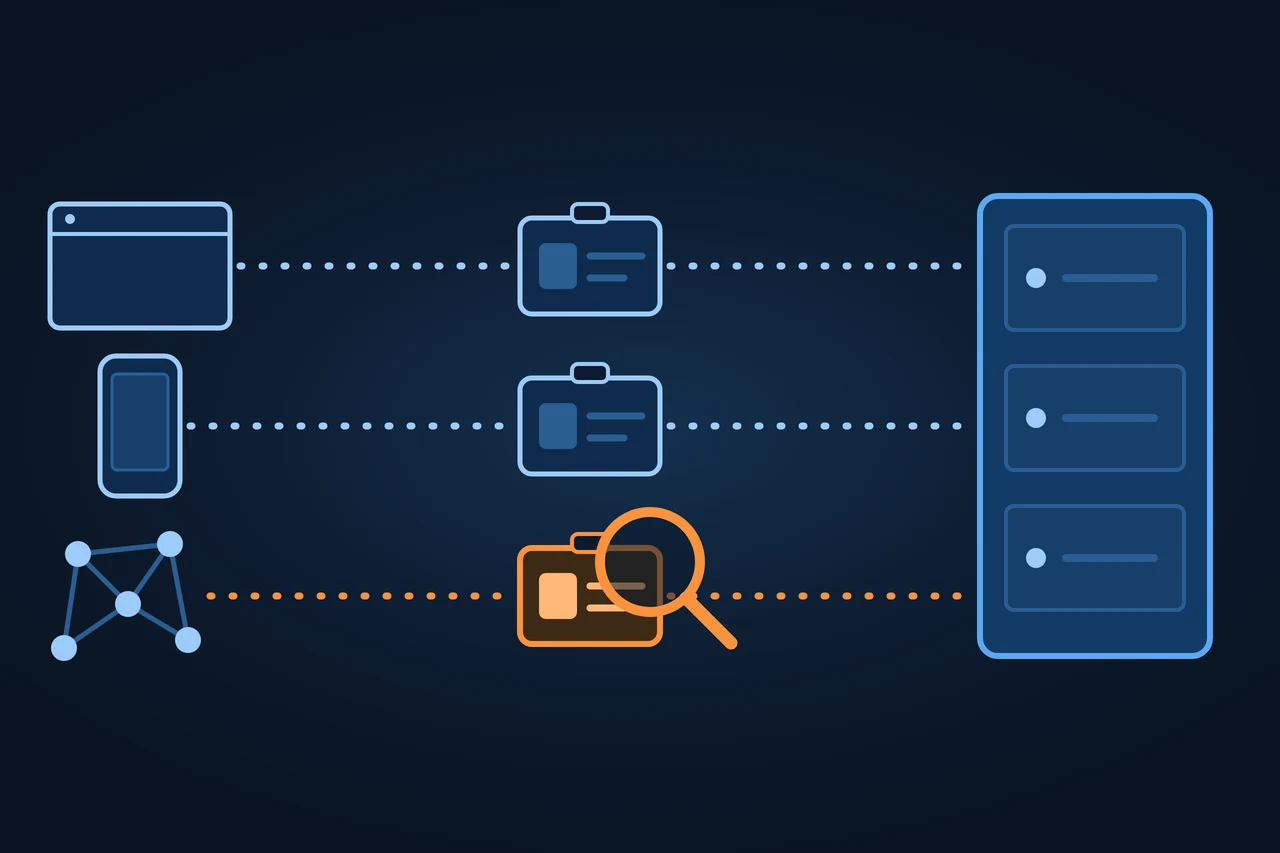
On the left, a browser window, a phone and a network of dots; each sends a name badge along a dotted path to a server on the right, and the network's badge is orange, with an orange magnifying glass on it, on a dark blue ground.
On this page 14
  1. Origin of the term
  2. History and development
  3. How it works
  4. Types and variants
  5. Examples
  6. How to measure it
  7. Advantages and disadvantages
  8. How it differs from related concepts
  9. Tools
  10. Criticism and limits
  11. How to apply it, step by step
  12. Best practices
  13. Common mistakes
  14. How this entry was made
In brief

A user agent is the program that requests a page and the text it uses to introduce itself. How to read the string, what Client Hints change, how to use it.

On the left, a browser window, a phone and a network of dots; each sends a name badge along a dotted path to a server on the right, and the network's badge is orange, with an orange magnifying glass on it, on a dark blue ground.

Origin of the term

The expression comes from the HTTP specifications. RFC 1945, from May 1996, defines the user agent as "the client which initiates a request" and lists browsers, editors, spiders (web-traversing robots) and other end-user tools. RFC 9110 adds that browsers are only a small share: mobile apps, household appliances and firmware update scripts are user agents too.

Almost every browser starts its string with "Mozilla/5.0". MDN puts this down to "historical reasons". The HTML Standard keeps the same legacy in JavaScript: navigator.appCodeName always returns "Mozilla" and navigator.appName returns "Netscape", so that existing websites keep working. Engine names went the same way. According to MDN, many browsers added the names of other engines so that websites would not shut them out by name. That is why Chrome writes "KHTML, like Gecko" and "Safari" although it is neither. RFC 9110 discourages the practice because it defeats the purpose of the field.

History and development

  • May 1996: RFC 1945 (HTTP/1.0) introduces the User-Agent header. Clients should send it, but it is not required.
  • June 1999: RFC 2616 (HTTP/1.1) keeps it in section 14.43, with the same example "CERN-LineMode/2.15 libwww/2.17b3".
  • June 2014: RFC 7231 adds a warning: long, detailed strings raise the risk of a person being identified against their wishes, known as fingerprinting.
  • June 2022: RFC 9110 replaces RFC 7231 and is the current standard. A user agent should send the header with every request.
  • 13 June 2022: Chrome 101 reaches 100 % of users with the minor version numbers frozen at 0.0.0, according to the Chromium schedule.
  • 7 February 2023: Chrome 107 completes the reduced string on desktop.
  • 11 May 2023: Chrome 110 completes the reduced string on Android.
  • 26 October 2026: latest version of the User-Agent Client Hints draft from the WICG community group, which is not a W3C standard.

How it works

The browser sends the User-Agent header with every HTTP request. Under RFC 9110, the value consists of one or more products, each with a name and an optional version (product/version), followed by comments in parentheses. Products are listed in decreasing order of importance for identifying the software. The standard forbids putting advertising into the product name.

Chrome's string on Windows, read on 15.11.2026 in our own browser, breaks down like this:

PartExampleWhat it means
Historical productMozilla/5.0Sent by almost every browser for historical reasons
Platform(Windows NT 10.0; Win64; x64)Operating system; in Chrome a fixed value per platform
EngineAppleWebKit/537.36 (KHTML, like Gecko)Legacy from earlier engines, so that websites do not exclude it
BrowserChrome/157.0.0.0Major version; the last three numbers are frozen
CompatibilitySafari/537.36Chrome also declares itself Safari

Source: navigator.userAgent in Chrome 157 (15.11.2026); MDN, "User-Agent header"; Chromium, "User-Agent Reduction".

RFC 9110 names three uses of the string: narrowing down compatibility problems, tailoring the response to a client and producing statistics on browsers and operating systems. If the response changes with the user agent, the server should say so with the Vary header. RFC 9110 requires caches not to reuse a response for another request unless the headers listed in Vary match. Without "Vary: User-Agent", a cache or a CDN can hand the mobile version to a desktop computer or the other way round. Google calls this setup, the same URL with different HTML per device, "dynamic serving" and bases it on reading the user agent and on "Vary: user-agent".

Types and variants

Today the user agent arrives in two forms: the classic string, which Chrome has trimmed, and User-Agent Client Hints, separate headers that deliver the same data piece by piece.

The reason is privacy. The WICG draft presents Client Hints as a way to adapt content without the passive fingerprinting surface of the User-Agent header. Chrome froze the most detailed parts of the string in three phases: first the minor version numbers (Chrome 101), then the desktop string (Chrome 107) and finally the Android string (Chrome 110). According to Chromium, the platform becomes a literal value: on Android, "Linux; Android 10; K", even if the system or the phone is different.

HeaderWhat it saysWhen it is sent
Sec-CH-UABrowser brands and major versionBy default
Sec-CH-UA-MobileWhether it is a mobile device (?1) or not (?0)By default
Sec-CH-UA-PlatformOperating system, for example "Windows"By default
Sec-CH-UA-Platform-Version, -Model, -Full-Version-ListSystem version, model, full versionOnly if the server asks for it with Accept-CH

Source: WICG, "User-Agent Client Hints", 26.10.2026; Chrome for Developers, "User-Agent Client Hints".

The first three are low entropy and sent by default. For the rest, the server responds with Accept-CH and the browser adds them to the following requests. Chrome only sends Client Hints over HTTPS. In JavaScript they are read with navigator.userAgentData and getHighEntropyValues(). The brand list of our Chrome 157 contains a fictitious one, "Not-A.Brand": the WICG draft proposes such fake entries (GREASE) so that websites do not look for an exact name.

Chrome has turned Client Hints on by default since version 89. According to MDN's compatibility data (15.11.2026), Firefox and Safari do not support navigator.userAgentData, and MDN marks the API as experimental.

Examples

Safari on iPhone, according to MDN: "Mozilla/5.0 (iPhone; CPU iPhone OS 18_6 like Mac OS X) AppleWebKit/605.1.15 (KHTML, like Gecko) Version/26.0 Mobile/15E148 Safari/604.1". According to MDN, Safari gives its version with "Version/", here 26.0, and adds "Mobile" on iPhone. MDN also notes that Firefox, Chrome and Edge on iPhone run on WebKit too, so their strings look like Safari's.

Firefox on macOS, according to MDN: "Mozilla/5.0 (Macintosh; Intel Mac OS X 10.15; rv:138.0) Gecko/20100101 Firefox/138.0". "rv:138.0" is the version of the Gecko engine and "20100101" is a fixed value on desktop.

curl, the command-line tool: according to its manual it sends "curl/VERSION" by default, for example "curl/8.23.1". That is a user agent with no browser behind it.

Googlebot Smartphone, according to Google's documentation updated on 30.10.2026: "Mozilla/5.0 (Linux; Android 6.0.1; Nexus 5X Build/MMB29P) AppleWebKit/537.36 (KHTML, like Gecko) Chrome/W.X.Y.Z Mobile Safari/537.36 (compatible; Googlebot/2.1; +http://www.google.com/bot.html)". W.X.Y.Z is a placeholder that Google fills with the Chrome version it uses at the time.

Which word does your log filter look for?

How to measure it

In server logs, the user agent is recorded on every line. Apache's "combined" format stores it with %{User-agent}i and nginx's with $http_user_agent, so an ordinary log line already says which program requested each URL. Log file analysis starts there to separate visits by people from visits by crawlers. For Googlebot, Google advises filtering with wildcards in the Chrome version, because that number changes over time.

Advantages and disadvantages

Advantages: it arrives with every request without JavaScript, and any server can log it. It works for statistics by browser or operating system and for narrowing down bugs in one version.

Disadvantages: the client writes it, so it proves nothing. In Chrome it no longer gives the exact version or the phone model. Its format is not uniform, MDN warns, and some browsers give conflicting information: Chrome declares itself both Chrome and Safari.

How it differs from related concepts

Crawlers also introduce themselves with a user agent, but robots.txt does not work with that string. Under RFC 9309, each crawler has a short token that should appear within its string, and robots.txt rules are written with that token: "Googlebot", not the whole string above. Because the string can be copied, the name does not prove who is calling: how to verify a real visit is explained under Googlebot, and the strings of GPTBot, ClaudeBot or PerplexityBot under AI crawlers.

DataWhere it comes fromWhat it is for
User-Agent stringThe client, freely chosenTailoring responses and logging visits
User-Agent Client HintsThe browser, piece by pieceRequesting only the data needed
robots.txt tokenThe crawler's operatorWriting crawl rules
IP and reverse DNSThe connection and the owner of the IPChecking who makes the request

Source: RFC 9110; RFC 9309; WICG, "User-Agent Client Hints"; Google, "Verify requests from Google crawlers and fetchers".

Tools

Open-source libraries exist for breaking strings down. In alphabetical order:

  • Device Detector (Matomo): according to its repository, detects browser, operating system, device type, brand and model; licence LGPL-3.0.
  • UAParser.js: a JavaScript library for the browser and Node that, according to its repository, detects browsers, operating systems, devices and bots; licence AGPL-3.0.
  • uap-core: the regular expression file of the Browserscope parser, the basis for ports in several languages.

Criticism and limits

RFC 7231 already warned in 2014 that a long string helps identify a person against their wishes (fingerprinting). The Client Hints draft gives the same reason.

Deciding from the string which features to use also fails. In MDN's example, a script that assumes every "Chrome" supports a feature breaks with older versions and with browsers that add it later. MDN adds that the problem is the same with Client Hints and recommends checking for the feature directly (feature detection).

Finally, the string can be faked. Google warns that other crawlers often copy Googlebot's user agent.

How to apply it, step by step

  • See your own user agent: open the browser's developer tools, Network tab, and look at the User-Agent header of any request, or type navigator.userAgent in the console.
  • See the Client Hints: the same request shows Sec-CH-UA and the others; in the console, navigator.userAgentData.
  • Change it in Chrome: developer tools, Network conditions panel, untick "Use browser default" under User agent and pick or type another one. According to Google, this changes what the website sends you, not how Chrome works.
  • Change it in curl: curl -A "text". With -A "" curl sends no header at all.
  • Draw the conclusion: if changing it takes one click, the string is no proof of identity.

Best practices

  • Check features with feature detection, not with the browser name.
  • If the response depends on the device or browser, send "Vary: User-Agent".
  • Request only the Client Hints you will use with Accept-CH.
  • Identify bots by IP and reverse DNS, not by the name they declare.
  • In logs, filter by string and by IP together.

Common mistakes

  • Blocking or letting a crawler through based on its user agent alone.
  • Serving different HTML per device without the Vary header.
  • Looking for Chrome's full version in the string: since Chrome 101 it ends in 0.0.0.
  • Filtering logs by an exact Googlebot version instead of using wildcards.
  • Detecting Gecko by searching for "Gecko" and counting Chrome and Safari, which carry "like Gecko", as Firefox.

How this entry was made

We wrote this entry in November 2026 with the help of AI. The information comes from the IETF RFC standards, the HTML Standard, the User-Agent Client Hints draft, MDN, documentation from Chrome, Chromium and Google, the curl, Apache and nginx manuals and the repositories cited. We reviewed it before publishing and it contains no client data.

Manuel Riveiro Rodriguez CEO & Digital Strategist

A technical audit covers this and everything else in one pass.

Request an audit

Frequently asked

What is a user agent used for?

It tells the server which program is requesting the page. With that, the server tailors the response, narrows down bugs in a specific browser and produces statistics on browsers and operating systems.

Where do I find my user agent?

In the browser's developer tools, Network tab, in the User-Agent header of any request. Or in the console, by typing navigator.userAgent.

What is a user agent string?

It is the text the program sends in the User-Agent header, for example the one that starts with "Mozilla/5.0" and ends with "Safari/537.36" in Chrome.

Can you spoof a user agent?

Yes. Chrome's developer tools, extensions or curl let you send any text. That is why a server should not trust the name a client declares.

What does the asterisk in the User-agent line of robots.txt mean?

That the group of rules applies to every crawler that has no group of its own. Under RFC 9309, a crawler without a group under its name follows the group with the asterisk.

Sources

  1. IETF, RFC 9110 "HTTP Semantics", June 2022, sections 3.5 (user agent), 10.1.5 (User-Agent) and 12.5.5 (Vary).
  2. IETF, RFC 1945 "Hypertext Transfer Protocol -- HTTP/1.0", May 1996, section 10.15.
  3. IETF, RFC 2616 "Hypertext Transfer Protocol -- HTTP/1.1", June 1999, section 14.43.
  4. IETF, RFC 7231 "HTTP/1.1: Semantics and Content", June 2014, section 5.5.3.
  5. IETF, RFC 9309 "Robots Exclusion Protocol", September 2022.
  6. WHATWG, HTML Standard, section "Client identification".
  7. WICG, "User-Agent Client Hints", Draft Community Group Report, 26 October 2026.
  8. MDN, "User-Agent header", modified 28 October 2025.
  9. MDN, "Browser detection using the user agent string (UA sniffing)", modified 6 January 2026.
  10. MDN, "Vary header", modified 21 November 2025.
  11. MDN, "User-Agent Client Hints API", modified 12 November 2026, with compatibility data.
  12. Chrome for Developers, "Improving user privacy and developer experience with User-Agent Client Hints".
  13. Chromium, "User-Agent Reduction", phases and schedule.
  14. Chrome DevTools, "Network conditions: Override the user agent string", updated 24 May 2024.
  15. Google, "Google's common crawlers", updated 30 October 2026.
  16. Google, "Verify requests from Google crawlers and fetchers", updated 20 March 2026.
  17. Google Search Central, "Googlebot", updated 3 February 2026.
  18. Google Search Central, "Mobile-first indexing best practices", section on dynamic serving.
  19. curl, manual, option -A, --user-agent.
  20. Apache HTTP Server 2.4, "Log Files", Combined Log Format.
  21. nginx, "Module ngx_http_log_module", combined format.
  22. Matomo, Device Detector, repository.
  23. UAParser.js, repository.
  24. uap-core, repository.