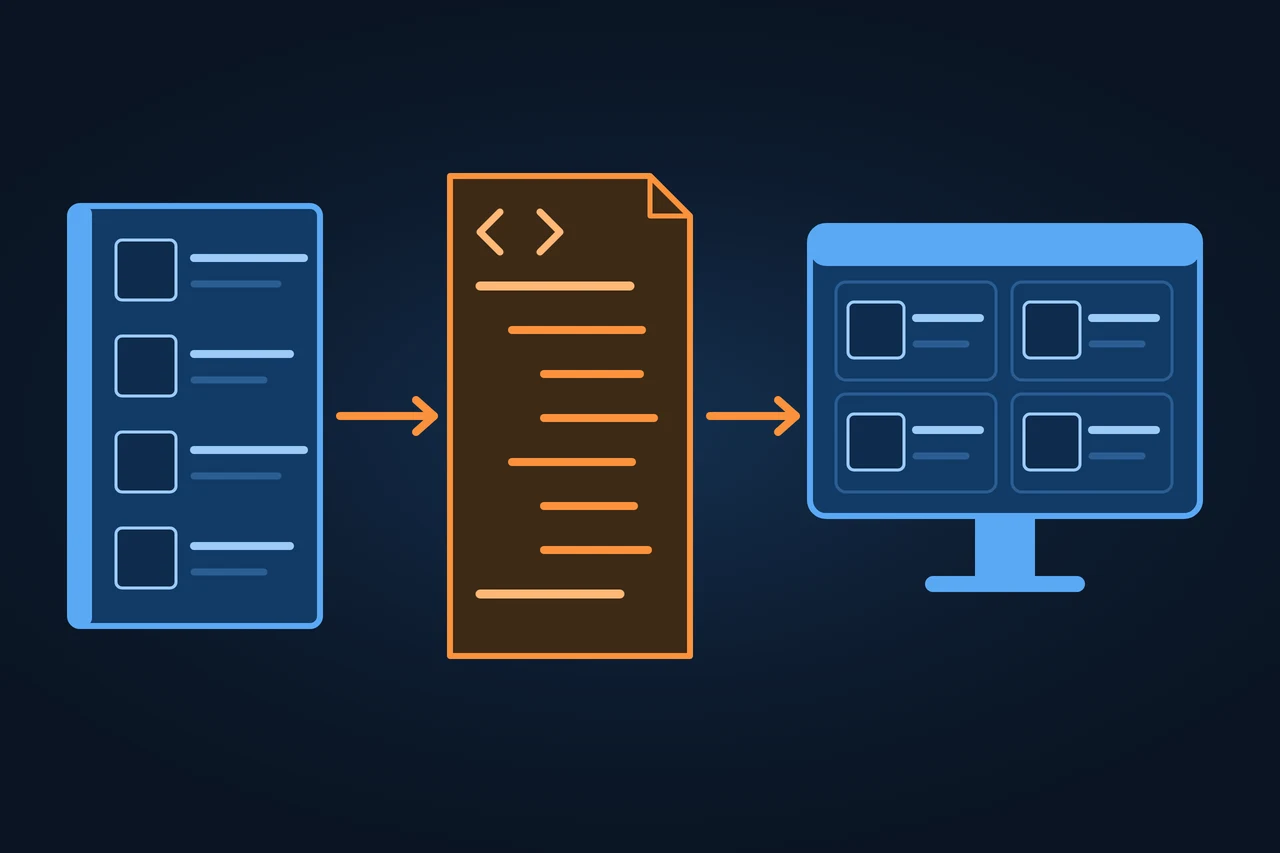
BMEcat is an XML format that suppliers use to send their electronic product catalogues to buying companies, wholesalers and procurement platforms. A BMEcat file holds item numbers, descriptions, prices, images and product features, which can follow a classification such as ECLASS or ETIM. It is published by BME, the German association for materials management, purchasing and logistics. The current version is BMEcat 2005.2.
BMEcat is the XML format for exchanging electronic product catalogues between businesses. Structure, versions 1999 to 2005.2, EuroCat, alternatives.
Origin of the term
BMEcat is named after BME, the German purchasing and logistics association that launched it. BME started the initiative, and the technical work was done by the Fraunhofer Institute for Industrial Engineering (IAO) in Stuttgart and the University of Essen, now Duisburg-Essen.
Sources tell the story differently. Some summaries say BME created BMEcat in 1999. The oldest specification BME offers for download, version 1.01, carries a copyright notice for Fraunhofer IAO and the University of Essen covering 1998 to 1999. Both are true: BME initiated and publishes the standard, and the two institutes wrote it.
History and development
Version
Date
What changed
1.0
8 November 1999
first version, adopted in Frankfurt
1.01
2 January 2000
fixes individual inconsistencies and revises the examples
1.2
27 March 2001
support for classifications such as ECLASS and ETIM, presented at CeBIT
2005
4 November 2005
rewrite with external catalogues, configurable products, dynamic prices, logistics data and several languages in one file
2005.1
3 October 2010
extended data model for classification systems
2005.2
1 October 2022
better support for classifications and corrections
Source: BMEcat 2005.2 specification, version history; BME, page on the development of BMEcat (accessed 08.11.2026).
On 16 February 2026 the European Committee for Standardization (CEN) approved EN 17015-2:2026, the transactions part of a series on electronic catalogues in public procurement. BME calls it EuroCat and wrote on 14 April 2026 that BMEcat served as its template. A syntax binding is being prepared so that BMEcat catalogues remain compatible with the standard.
How it works
A BMEcat file is an XML document with a header and a transaction.
BMEcat carries the data but does not prescribe the classification
Supplier
generates the file from its PIM or ERP
→
BMEcat file · XML
HEADER
describes the catalogue, the supplier and the buyer
One transaction
T_NEW_CATALOGa complete catalogue
T_UPDATE_PRODUCTSchanges, adds or deletes products
T_UPDATE_PRICESnew prices only
PRODUCT
supplier's item number
GTINinternational number
texts, prices, images
PRODUCT_FEATURESfeatures, naming the classification system
The features can follow ECLASS or ETIM. BMEcat does not prescribe a classification.
→
Recipients
Buying companies
Wholesalers
Procurement platforms
Which format do your suppliers' catalogues arrive in today?
The header (HEADER) describes the catalogue: name, version, language, validity, supplier and buyer.
The transaction tells the recipient what to do with the data. The specification defines three:
T_NEW_CATALOG sends a complete catalogue.
T_UPDATE_PRODUCTS changes, adds or deletes products.
T_UPDATE_PRICES sends new prices only.
Each product sits in a PRODUCT element (called ARTICLE up to version 1.2) with the supplier's item number, an international number such as the GTIN, texts, prices, images and features. The features go into PRODUCT_FEATURES, which names the classification system and its version. An example in the specification itself uses ECLASS-5.1, class 24-29-11-01 and a feature that points to the ECLASS code BAA351001, with the value "rot" (red).
BMEcat does not prescribe a classification. ECLASS and ETIM each publish their own rules for how their classes and features appear in a BMEcat file.
Types and variants
BMEcat exists in several versions, and some recipients add their own rules on top of one of them. The PIM vendor nextPIM puts it this way, in German: "BMEcat ist nicht gleich BMEcat", meaning not all BMEcat is the same. Each version and each dialect has its own required fields.
Variant
Defined by
Used for
BMEcat 1.2
BME, 2001
older version; Mercateo, for example, bases its catalogue format on 1.2
BMEcat 2005 to 2005.2
BME
current versions, backward compatible with 1.2
ETIM BMEcat guideline
ETIM International
rules for ETIM-classified data, last version 5.0 from June 2021
ECLASS in BMEcat
ECLASS e. V.
rules for ECLASS content; ECLASS supports only the T_NEW_CATALOG transaction
Platform and association dialects
each recipient
their own required fields on top of one version, for example on procurement platforms
Worked example: an electrical wholesaler buys from three manufacturers. In January each sends its full catalogue of about 2,000 items with T_NEW_CATALOG. In April one of them adds 150 items and drops 40, which takes one T_UPDATE_PRODUCTS file with 190 products. When another changes 600 cable prices, a T_UPDATE_PRICES file with 600 entries is enough.
A company outside Germany that sells to German distributors or procurement platforms may be asked for its catalogue in BMEcat, with features classified under ETIM or ECLASS.
Advantages and disadvantages
Use case
Advantage
Disadvantage
Manufacturer with several distributors
one file to one specification instead of a separate sheet per customer
each recipient may require its own variant (dialect)
Purchasing department
catalogues from several suppliers load into one system
without a shared classification, features are hard to compare
Small supplier
BME allows use and implementation free of charge
XML is not edited by hand; it needs a PIM, an ERP module or a converter
Source: BMEcat 2005.2 specification, legal notices; nextPIM Wiki (accessed 08.11.2026).
How it differs from related concepts
Format or standard
Maintained by
Used for
Difference from BMEcat
ETIM xChange
ETIM International
product data classified with ETIM
JSON instead of XML; ETIM now recommends it over its BMEcat guideline
cXML
cXML.org
exchange between procurement systems, hubs and suppliers
protocol for business documents such as orders, with catalogue content and PunchOut
open source, creates BMEcat 1.2 and 2005 from Excel or LibreOffice
DTD and XSD files
BME
technical definition of each version, for validating a file
nextPIM
nextPIM
PIM that imports and exports BMEcat in several versions and dialects
Source: provider websites, in alphabetical order and without ranking (accessed 08.11.2026).
Criticism and limits
According to BME, the basic document structure has not changed since version 1.2, and the two revisions after 2005 mainly extend classification support. In 2021 ETIM International announced that its ETIM BMEcat guideline 5.0 would be the last and now recommends its own format, ETIM xChange. A file that is valid against the schema can still fail at the recipient if the recipient requires extra fields of its own.
How to apply it, step by step
Ask the recipient which version, dialect and classification they expect.
Decide which data comes from the PIM or ERP: item number, GTIN, texts, prices, images and features.
Assign each product to the requested ECLASS or ETIM class and state the classification version.
Generate a test file with a few items and validate it against the DTD or XSD.
Send the full catalogue with T_NEW_CATALOG, then only the changes.
Best practices
Keep the data in a PIM and generate every file from there.
Reference images and data sheets with an address the recipient can reach.
Use the units the classification prescribes.
Common mistakes
Sending features without the classification version.
Using local paths for images, such as C:\images\123.jpg.
Sending the full catalogue when only prices have changed.
Treating schema validation as enough and ignoring the recipient's dialect.
How this entry was made
This entry was written in November 2026 with AI assistance. It started from an analysis of the top search results, in order to add what they leave out: the versions with dates from the specification itself, the difference from Datanorm and the new European standard EuroCat. The facts come from BME's specifications and announcements, the CEN standard and the ETIM and ECLASS websites. It was reviewed before publication and contains no client data.
Manuel Riveiro RodriguezCEO & Digital Strategist
A technical audit covers this and everything else in one pass.
An XML file that follows the BMEcat specification. It has a header with the catalogue, supplier and buyer, and a transaction with the products, their prices, images and features.
Is BMEcat free to use?
Yes. According to the legal notices in the specification, BME grants a royalty-free right to use it and to implement software based on it. BMEcat is a registered trademark of BME.
Is there a BMEcat 5.0?
No. The current version of BMEcat is 2005.2. Version 5.0 belongs to the ETIM BMEcat guideline, which ETIM International published in June 2021 as its last edition.
Should I use BMEcat or ETIM xChange?
That depends on the recipient. For ETIM-classified data, ETIM International now recommends ETIM xChange, a JSON-based format. Platforms such as Mercateo still describe their catalogue format as based on BMEcat. Ask your customer which format they accept.