
Skip to content

Glossary WooCommerce

What is WooCommerce? How it works and what it costs

  • SEO Basics
Definition

WooCommerce is an open-source plugin that turns a WordPress site into an online store. It is developed by Automattic. It adds products, a cart, checkout, orders, shipping and tax settings. The merchant installs it on their own WordPress site and their own hosting, so the server, updates and security are the merchant's job. The WordPress.org directory lists the plugin as free, with paid upgrades and support available separately.

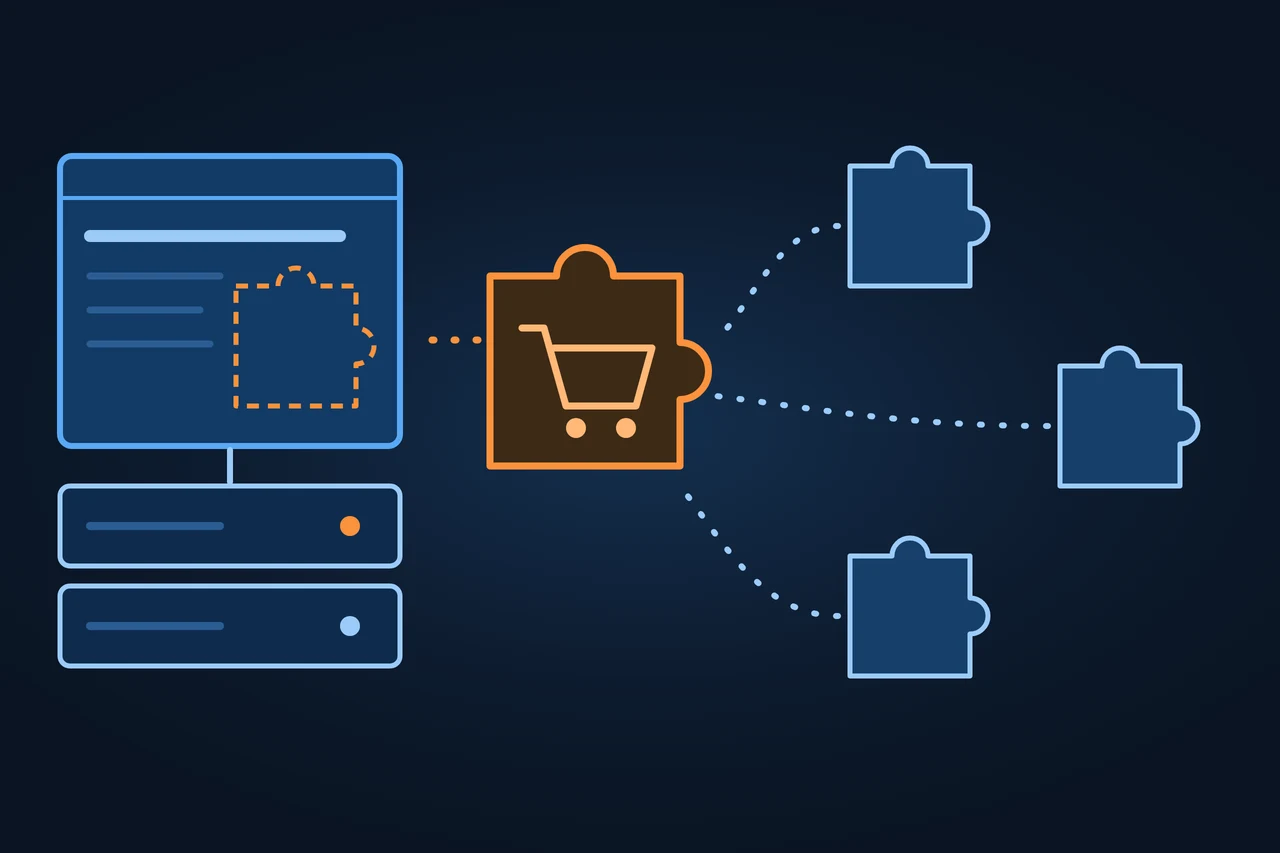
On the left, a website on its own server, with the dashed orange outline of a puzzle piece; an orange puzzle piece with a shopping cart fits into it; on the right, three pale pieces docking onto the orange one, on a dark blue ground.
On this page 14
  1. History and development
  2. How it works
  3. Types and variants
  4. Examples
  5. How to measure it
  6. Advantages and disadvantages
  7. How it differs from related concepts
  8. Tools
  9. Criticism and limits
  10. Legal framework
  11. How to apply it, step by step
  12. Best practices
  13. Common mistakes
  14. How this entry was made
In brief

WooCommerce: the open-source plugin that turns a WordPress site into an online store. How it works, what it costs, its limits and the law.

On the left, a website on its own server, with the dashed orange outline of a puzzle piece; an orange puzzle piece with a shopping cart fits into it; on the right, three pale pieces docking onto the orange one, on a dark blue ground.

History and development

The company behind WooCommerce started out making WordPress themes. These are the milestones it documents itself:

  • November 2007: Mark Forrester, Magnus Jepson and Adii Pienaar start working together online on a WordPress theme. A few months later, in 2008, they launch WooThemes.
  • 2010: WooThemes looks at ways to add ecommerce to its themes and hires two of the developers behind the Jigoshop plugin to build a dedicated plugin.
  • 27 September 2011: an internal team of four developers releases the first version of WooCommerce. The GitHub repository carries a 1.0 tag with the same date.
  • 19 May 2015: WooThemes joins Automattic, the company behind WordPress.com and Jetpack.
  • 2016: a year later the WooThemes brand is retired in favour of WooCommerce. Since 2017 the company, which now calls itself Woo, has worked only on ecommerce.
  • 10 October 2023, version 8.2: High-Performance Order Storage (HPOS) becomes the default for new installations.
  • 16 November 2023, version 8.3: the Cart, Checkout and Order Confirmation blocks become the default checkout for new installations that use block themes.
  • 11 November 2026: version 11.3.0 is released, the current version on the date this entry was checked.

Some websites name other people as the founders. According to the company, the three people above founded WooThemes; the plugin itself was written later by the in-house team.

How it works

WooCommerce installs like any other plugin. In the WordPress dashboard you go to Plugins, Add New, search for WooCommerce and click Install Now; WordPress handles the file transfer. After activation, the store, payments, shipping and taxes are set up in the plugin's settings.

Products, customers and orders live in the WordPress database. Up to version 8.2, orders were stored in WordPress's general post and post-meta tables. With HPOS they sit in four tables of their own, for orders, addresses, operational data and metadata. According to the documentation, the dedicated tables and indexes mean fewer read and write operations and fewer busy tables. HPOS has been the default for new stores since October 2023; existing stores can switch it on.

The core covers the basics: catalogue, cart, checkout, orders, shipping, taxes, coupons and customers. Everything else comes from extensions. WooCommerce says its marketplace has more than 1,000 of them, and the WordPress.org directory adds many more. How the store looks depends on the WordPress theme.

WooCommerce also has a REST API, part of the WordPress REST API since version 2.6. Other software can use it to create, read, update and delete store data with JSON requests and standard HTTP methods; the current version is v3. That is what you need to connect an ERP system, or to run a headless store in which the storefront is built separately and WooCommerce only handles data and orders.

From server to storefront: who supplies each layer

Types and variants

There are no editions of WooCommerce. What differs from one store to the next is what has been added to it:

ComponentWhat it isWhere it comes from
CoreThe WooCommerce pluginWordPress.org directory, free
Official extensionsPayments (WooPayments), shipping, tax, subscriptionsWooCommerce.com Marketplace
Third-party extensionsPayment gateways, legal texts, marketplace connectorsWordPress.org directory or other vendors
ThemesStore designWordPress.org directory or theme vendors
Headless setupA separate storefront that uses the REST APICustom development

Source: WordPress.org and WooCommerce documentation, accessed 17.11.2026.

Examples

WooCommerce's official showcase lists live stores built with the plugin, along with their sector and the extensions they use. On 17 November 2026 it included Mandarin Stone (home and furniture, with Amazon Pay and Mailchimp), Muista (home and furniture, Lithuania, with Google for WooCommerce and Klaviyo) and Eephus League (sports and outdoors, United States, with WooCommerce Shipping). This is the vendor's own selection, not a representative sample.

As a usage figure, WordPress.org reported more than 7 million active installations of the plugin on 17.11.2026. That counts installations. It does not count stores that actually sell, and it is not a market share.

How to measure it

Inside the store, the WooCommerce Analytics section reports sales, orders, products sold and coupons. Reports can be filtered by date range, segmented and downloaded as CSV. Search traffic is measured outside the store: Google Search Console shows which category and product pages appear in Google and how often they are clicked.

The other number that matters is cost. The plugin is free; running a store is not. The usual cost items, without figures, because they depend on each provider:

ItemType of costNote
HostingRecurringA server with PHP and MySQL or MariaDB
DomainRecurringRenewed every year
ThemeOne-off or recurringFree and paid themes exist
Paid extensionsMostly recurringManaged as subscriptions in the Marketplace
Payment feesPer saleSet by each payment provider
DevelopmentOne-offSetup, design, integrations
MaintenanceRecurringUpdates, backups, security

Source: WordPress.org and WooCommerce documentation, accessed 17.11.2026.

Advantages and disadvantages

It depends on the kind of store you want to run:

CaseForAgainst
You already have a WordPress siteStore and content in one systemThe whole site depends on the plugin and the other plugins getting along
Large catalogue with many variantsYour own data, HPOS for ordersSpeed depends on the server and on how many extensions are installed
Selling in several countriesExtensions for tax, languages and currenciesEvery extra piece adds cost and upkeep
Custom buildOpen source and a REST APIYou need your own developers

Source: ZDS assessment based on the WooCommerce documentation, accessed 17.11.2026.

How it differs from related concepts

WooCommerce is not a hosted store. That is the main difference from Shopify, which you subscribe to and which hosts the store for you. The Shopify entry has the detailed comparison. In short:

WooCommerceShopifyPrestaShop
ModelOpen-source plugin for WordPressSubscription platformStandalone open-source software
HostingThe merchant'sShopify'sInstalled on your own server
Who maintains the serverThe merchantShopifyThe merchant

Source: WordPress.org, Shopify and the PrestaShop repository on GitHub, accessed 17.11.2026.

Nor is WooCommerce the same thing as WordPress. WordPress is the CMS; WooCommerce is one of its extensions. The difference between WordPress.org and WordPress.com is covered in the WordPress entry.

Tools

Example extensions by category, in alphabetical order, with no ranking:

  • Legal (Germany): Germanized for WooCommerce by vendidero, with checkout checkboxes and a withdrawal button.
  • Marketing: Google for WooCommerce, which connects the store to Google Merchant Center.
  • Payments: WooPayments from the vendor itself, or third-party payment gateways.
  • Shipping: WooCommerce Shipping, from the vendor itself.
  • Subscriptions: WooCommerce Subscriptions, from the vendor itself.
  • Tax: WooCommerce Tax, from the vendor itself.

Criticism and limits

The merchant runs the store: updates, backups and security are their responsibility. WooCommerce warns that older PHP and MySQL versions have reached end of life and may expose a site to security vulnerabilities.

Every extension adds code the server has to run and, often, files the browser has to download. A store with many extensions can get slow, and that shows up in the Core Web Vitals. The core may be free, but paid extensions add up, because the Marketplace sells them as subscriptions.

Finally, no single company answers for the whole setup. If an extension stops being maintained, that becomes the merchant's problem.

How to apply it, step by step

  • Check that your hosting meets the requirements WooCommerce publishes.
  • Install WooCommerce under Plugins, Add New, and activate it.
  • Set up the store, payments, shipping zones and taxes in the settings.
  • Add products with prices, stock and images.
  • Publish the legal pages and, in the EU, the withdrawal function.
  • Review category and product URLs and decide which filter pages get indexed, as explained under faceted navigation.
  • Add product structured data and test it.
  • Measure page speed before launch and after every new extension.

Best practices

  • Install only the extensions you need.
  • Test updates on a copy of the store before applying them to the live site.
  • Keep PHP and the database on supported versions.
  • Compress product images and give them alt text.
  • Check Analytics every week, not only when sales drop.

Common mistakes

  • Treating the free plugin as if the store were free.
  • Letting every category filter create an indexable URL.
  • Piling up extensions that do the same job.
  • Updating the live store without a backup.
  • Forgetting the withdrawal button when selling in the EU from June 2026 on.

How this entry was made

This entry was written in November 2026 with the help of AI. The information comes from WordPress.org, the WooCommerce documentation and blog, the GitHub repository, EUR-Lex, the Spanish BOE and gesetze-im-internet.de, all accessed on 17.11.2026. It was reviewed before publication and contains no client data.

Manuel Riveiro Rodriguez CEO & Digital Strategist

A technical audit covers this and everything else in one pass.

Request an audit

Frequently asked

Is WooCommerce free?

The plugin is. WordPress.org lists it as free, with paid upgrades and support available separately. Running a store still costs money: hosting, a domain, paid extensions, payment fees and maintenance.

What is the difference between WordPress and WooCommerce?

WordPress is the content management system. WooCommerce is a plugin you install on WordPress that adds products, a cart, checkout and orders.

How do you install WooCommerce?

In the WordPress dashboard, go to Plugins, Add New, search for WooCommerce, install and activate it. Then set up the store, payments, shipping and taxes in the plugin's settings.

What are the downsides of WooCommerce?

The merchant looks after the server, updates and security. Many extensions can slow the store down, and paid extensions add a recurring cost.

Which stores use WooCommerce?

WooCommerce's official showcase lists live stores, for example Mandarin Stone, Muista and Eephus League on 17 November 2026. The list is the vendor's own selection.

Sources

  1. WordPress.org, "WooCommerce – WordPress plugin".
  2. WooCommerce, "About WooCommerce".
  3. WooCommerce, "Celebrating 10 years of WooCommerce", 27 September 2021.
  4. WooCommerce, "WooThemes Joins Automattic", 19 May 2015.
  5. Matt Mullenweg, "Woo & Automattic", 19 May 2015.
  6. GitHub, woocommerce/woocommerce repository, tag 1.0 and release 11.3.0.
  7. WooCommerce Developer Blog, "WooCommerce 8.2.0 Released", 10 October 2023.
  8. WooCommerce Developer Blog, "WooCommerce 8.3.0 Released", 16 November 2023.
  9. WooCommerce developer docs, "High-Performance Order Storage".
  10. WooCommerce developer docs, "WooCommerce REST API".
  11. WooCommerce, "What is WooCommerce?".
  12. WooCommerce, "WooCommerce Server Recommendations".
  13. WooCommerce, "Analytics and Sales Reports".
  14. WooCommerce, "WooCommerce Site Examples".
  15. WordPress.org, "Germanized for WooCommerce".
  16. WordPress.org, "Google for WooCommerce".
  17. GitHub, PrestaShop/PrestaShop repository.
  18. EUR-Lex, Directive (EU) 2023/2673 of the European Parliament and of the Council of 22 November 2023.
  19. BOE, Ley 34/2002 on information society services and electronic commerce, consolidated text (in Spanish).
  20. BOE, Real Decreto Legislativo 1/2007, consumer protection law, consolidated text (in Spanish).
  21. gesetze-im-internet.de, Section 356a BGB, "Elektronische Widerrufsfunktion bei Fernabsatzverträgen" (in German).
  22. gesetze-im-internet.de, Section 312j BGB (in German).