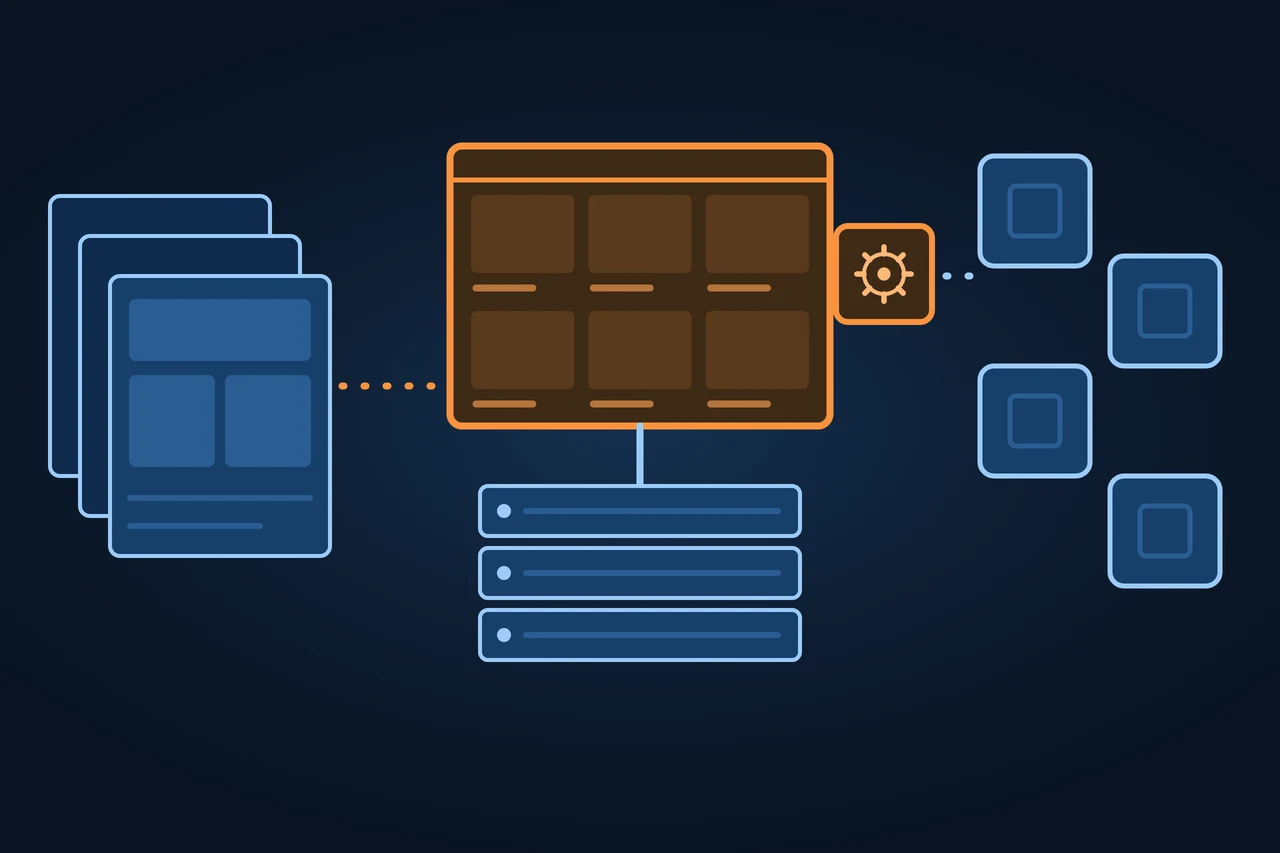
PrestaShop is open-source software for building an online store. You install it on your own server, or you get it pre-installed through the vendor's Hosted offer. It is written in PHP and is being moved step by step onto the Symfony framework. The core is released under the OSL 3.0 licence and the modules under AFL 3.0. A theme controls what shoppers see, and modules add the features the core lacks. Since February 2026, PrestaShop has been part of the European group cyber_Folks.
PrestaShop: open-source online store software created in France in 2007. How it works, modules and hooks, costs and how it differs from WooCommerce.
Origin of the term
PrestaShop comes from France. The company's first website, saved by the Internet Archive in October 2007, says the company was set up in 2007 by Igor Schlumberger and Bruno Lévêque, and that work on the software had started in 2005. In 2012 the company described itself as headquartered in Paris and Miami. Its "About us" page still gives 2007 as the year it was founded.
History and development
The dates come from the Internet Archive and from the releases in the GitHub repository:
October 2007: official launch as open source, with version 0.8.4.
31 July 2008: version 1.0 final, the first one the company called stable and production-ready.
10 April 2014: version 1.6.0 stable.
8 November 2016: version 1.7.0.0. The release notes name the introduction of the Symfony framework, a rebuilt theme system and a new product page.
26 October 2022: version 8.0.0.
10 June 2025: version 9.0.0, with Symfony 6.4 LTS, support for PHP 8.1 to 8.4, a new Admin API and the Hummingbird theme.
18 February 2026: cyber_Folks announces it has completed the acquisition of 100% of PrestaShop, together with Sylius and BitBag.
23 March 2026: version 9.1.0. Hummingbird 2.0 becomes the default theme.
30 September 2026: version 9.2.0. According to PrestaShop's versions page, it brings One Page Checkout, Ask AI and Extra Properties.
9 November 2026: version 9.2.1, a maintenance release with security fixes and the current version as of 18 November 2026.
How it works
PrestaShop has two sides. The front office is the store the customer sees: catalogue, product pages, cart and checkout. The back office is the admin panel where the merchant adds products, handles orders and customers, and sets up payments, shipping and taxes. The data sits in a MySQL or MariaDB database.
The theme decides how the store looks. Since version 9.1 the default theme is Hummingbird, built on Bootstrap 5.3. The older Classic theme stays for backward compatibility and gets no new features.
Modules extend what the store can do. The documentation describes them as small programs that use PrestaShop's functions and change or add to them. A module plugs into the store through hooks, fixed points in the software where it can step in. Hooks whose names start with "display" show content in a part of the page, such as the header or the footer. Hooks starting with "action" react to an event, for example sending an email when an order is created. Each module registers its hooks when it is installed.
One installation can run several stores. The feature is called multistore and lets the merchant set settings and content for all stores, for a group of stores or for a single one.
The theme sets the look; modules plug in at fixed points, the hooks
Hooks starting with “display”
Put content into a fixed place on the page.
Store page
HeaderModule
FooterModule
Hooks starting with “action”
React to an event.
An order is created
Module
Sends an email
Where a module steps in: a fixed place on the page, or right after an event
Types and variants
PrestaShop offers the same software in two ways, with a marketplace around it:
Variant
What it includes
Who maintains the server
PrestaShop Classic
Free download of the code, essential modules pre-installed
The merchant or their hosting provider
PrestaShop Hosted
Installation, hosting, support and services such as payments, shipping and a legal assistant, based on version 8
PrestaShop
PrestaShop Marketplace (Addons)
Themes and modules from PrestaShop and third parties, free and paid
Not applicable
Multistore
Several stores in one installation
Whoever hosts the installation
Source: prestashop.com (Classic and Hosted offers) and PrestaShop developer documentation, accessed 18.11.2026.
PrestaShop says its marketplace offers more than 3,200 themes and modules (accessed 18.11.2026).
Examples
On its examples page, PrestaShop presents Les Raffineurs, a gift shop founded in Paris in 2014 that also sells through physical stores in Paris and Lyon. The vendor chose this example.
In Spain, the national postal service Correos offers its own PrestaShop module for free on its website. It connects the store with Correos and Correos Express shipping, national and international. On 18 November 2026, version 3.0.1 supports PrestaShop 9.x and 8.x.
How to measure it
Search traffic is measured outside the store. Google Search Console shows which category and product pages appear in Google and how many clicks they get.
Cost is the other number that matters. PrestaShop offers the Classic download at no cost, but running a store does cost money. The usual cost items, without figures because they depend on each provider:
Item
Type of cost
Note
Hosting
Recurring
A server with PHP and MySQL or MariaDB, unless you use the Hosted offer
Domain
Recurring
Renewed every year
Theme
One-off or recurring
Free and paid themes exist
Paid modules
One-off or recurring
Depends on the module vendor
Payment fees
Per sale
Set by each payment provider
Development
One-off
Setup, design, integrations
Maintenance
Recurring
Updates, backups, security
Source: prestashop.com and PrestaShop documentation, accessed 18.11.2026.
Advantages and disadvantages
It depends on the kind of store:
Case
For
Against
Store in several EU languages or countries
Multistore in the core, code you control
Each market adds payment, shipping and tax modules
Small store without a technical team
The Hosted offer takes the server off your hands
With Classic, server and updates are your job
Large catalogue
Data and code stay with the merchant
Performance depends on the server and the number of modules
Custom build
Open source, Admin API since version 9
Needs your own development work
Source: ZDS assessment based on PrestaShop documentation, accessed 18.11.2026.
How it differs from related concepts
The main difference from WooCommerce is what each one is built on. WooCommerce is a plugin that turns a WordPress site into a store. PrestaShop is standalone software made only for selling. With WooCommerce, the store and the content share one CMS, so blog posts, pages and products are managed in the same dashboard. PrestaShop brings its own admin panel, its own themes and its own modules. Both are open source, and with both the merchant looks after the server, unless they take PrestaShop's Hosted offer.
So if a WordPress site already exists, WooCommerce adds a store without changing systems. If the project is mainly a store, PrestaShop provides one from the start.
The comparison with Shopify is in the Shopify entry; Shopware and Magento have their own entries. In short:
System
Model and licence
Who hosts and maintains the server
Typical use
PrestaShop
Standalone software, OSL 3.0
The merchant, or PrestaShop with the Hosted offer
Self-managed own store, according to PrestaShop
WooCommerce
WordPress plugin, GPL
The merchant
Adding a store to a WordPress site
Shopware
Open source (MIT) with paid plans
The merchant, or Shopware as PaaS or SaaS
B2B and B2C commerce, according to Shopware
Magento
Magento Open Source (OSL 3.0) and Adobe Commerce under an Adobe licence
The merchant, or Adobe as PaaS or SaaS (Adobe Commerce)
B2B and B2C commerce, according to Adobe
Shopify
Subscription platform
Shopify
A store without your own server
Source: GitHub, prestashop.com, WordPress.org, shopware.com, Adobe and Shopify, accessed 18.11.2026.
Tools
Examples of modules by category, in alphabetical order, with no ranking:
Legal: PrestaShop Legal Assistant for GDPR and cookies, included in the Hosted offer.
Marketing: PrestaShop Marketing (ads on Google), PrestaShop Social (Facebook and Instagram) and PrestaShop Automation (with Klaviyo).
Payments: PrestaShop Checkout, built with PayPal.
Shipping: the official Correos and Correos Express module; eShip for PrestaShop, included in the Hosted offer.
Updates: Update Assistant, PrestaShop's module for moving between minor versions.
Criticism and limits
Major version jumps take work. Within one major version, for example from 9.0 to 9.1, PrestaShop says the theme and modules keep working. For a move to a new major version it recommends a migration: install a new store and transfer the data. Employee permissions have to be set up again by hand. A theme from version 1.6 does not work in 1.7 or later. For modules, the documentation advises assuming they are incompatible until proven otherwise.
Every module adds code the server runs and often files the browser has to download. A store with many modules can slow down, which shows in the Core Web Vitals. Paid modules also add up.
Legal framework
In the European Union, Directive (EU) 2023/2673 of 22 November 2023 adds a new Article 11a to Directive 2011/83/EU. For distance contracts concluded through an online interface, the trader must offer a withdrawal function labelled "withdraw from contract here" or an equivalent wording. Member States apply these rules from 19 June 2026.
In Germany, Section 356a of the Civil Code (BGB) already contains the withdrawal button, and Section 312j requires the order button to read "zahlungspflichtig bestellen". Check before launch whether your theme and modules cover both.
In Spain, Law 34/2002 (LSSI) requires the site owner's name, address, email and registration details, and the consumer law gives fourteen calendar days to withdraw from a distance purchase. Outside the EU, the United Kingdom and the United States have their own consumer rules.
How to apply it, step by step
Choose between the Classic offer, on your own server, and the Hosted offer.
With Classic, check that the hosting meets the requirements of the version and install the store.
Pick the theme and set the logo, colours and menus.
Add categories and products with prices, stock and images.
Install and configure the payment and shipping modules.
Publish the legal pages and, in the EU, the withdrawal function.
Review category and product URLs and decide which filter pages get indexed, as explained under faceted navigation.
Measure speed before launch and after every new module.
Best practices
Install only the modules you need and uninstall the ones you don't use.
Test updates on a copy before applying them to the live store.
Check each module's compatibility before moving to a new major version.
Keep PHP and the database on supported versions.
Use compressed images with alt text.
Common mistakes
Counting only the software and forgetting hosting, modules and maintenance.
Jumping to a new major version with a direct update on the live store.
Letting every category filter create an indexable URL.
Piling up modules that do the same thing.
Forgetting the withdrawal function when selling in the EU from June 2026.
How this entry was made
This entry was written in November 2026 with the help of AI. The information comes from prestashop.com, PrestaShop's developer documentation and GitHub repository, Internet Archive captures from 2007, 2008 and 2012, cyber_Folks and Correos, accessed on 18.11.2026. The legal texts come from EUR-Lex, the Spanish BOE and gesetze-im-internet.de, accessed on 17.11.2026. It was reviewed before publication and contains no client data.
Manuel Riveiro RodriguezCEO & Digital Strategist
A technical audit covers this and everything else in one pass.
PrestaShop offers the PrestaShop Classic download for free. Running a store still costs money: hosting, a domain, a theme, paid modules, payment fees and maintenance. The Hosted offer, which includes hosting, is paid.
What is the difference between PrestaShop and WordPress?
WordPress is a content management system. To sell, it needs a plugin such as WooCommerce. PrestaShop is software made only for online stores, with its own admin panel, themes and modules.
What is a PrestaShop module?
A small program that adds or changes a store function, such as a payment method or a carrier. It connects to the store through hooks, fixed points in the software where the module shows content or reacts to an event.
What are the disadvantages of PrestaShop?
With the Classic offer, the merchant looks after the server, updates and security. Major version jumps require a migration and a check of modules and theme, and paid modules add cost.
What is the latest PrestaShop version?
On 18 November 2026 it is 9.2.1, released on 9 November 2026 as a maintenance release of 9.2. Version 9.0 came out in June 2025.